Summer’s over, but our August updates are here to move your business forward. Explore the Bonus Shop, intuitive menu settings, GEO targeting, and other features designed for a productive and profitable autumn.
🏹 Content Management System (CMS)
WalletConnect Authentication for Web
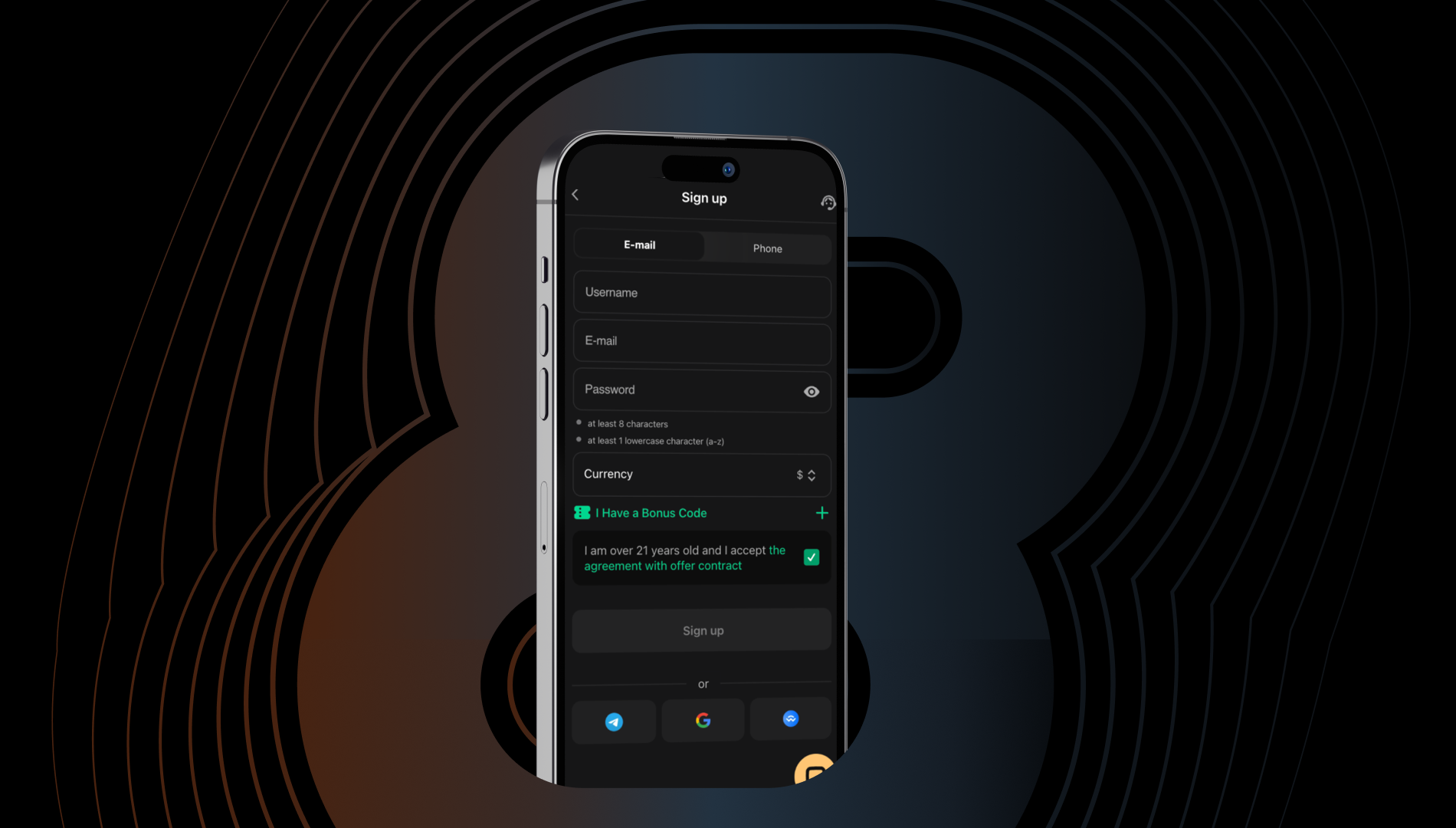
We’ve introduced WalletConnect support. Users can now log in or sign up on the platform directly with MetaMask, Trust Wallet, or other wallets. This update simplifies product access and helps operators attract new crypto-savvy clients.
Players can connect their wallets by selecting the relevant icon and using a QR code or a deep link.
First-time users get a new account, while returning players are instantly logged in to their existing accounts.
Sidebar Menu and Tab Bar Configuration
Operators can now configure the Sidebar Menu and Tab Bar directly in the CMS to align navigation with player needs and behavior.
- Sidebar Component is managed through widgets and works on Desktop, Web, Mobile, and Native Apps;
- Tab Bar Component comes in different versions for Mobile Web and Native Apps.
⚙️ Customer Relationship Management (CRM)
Bonus Shop
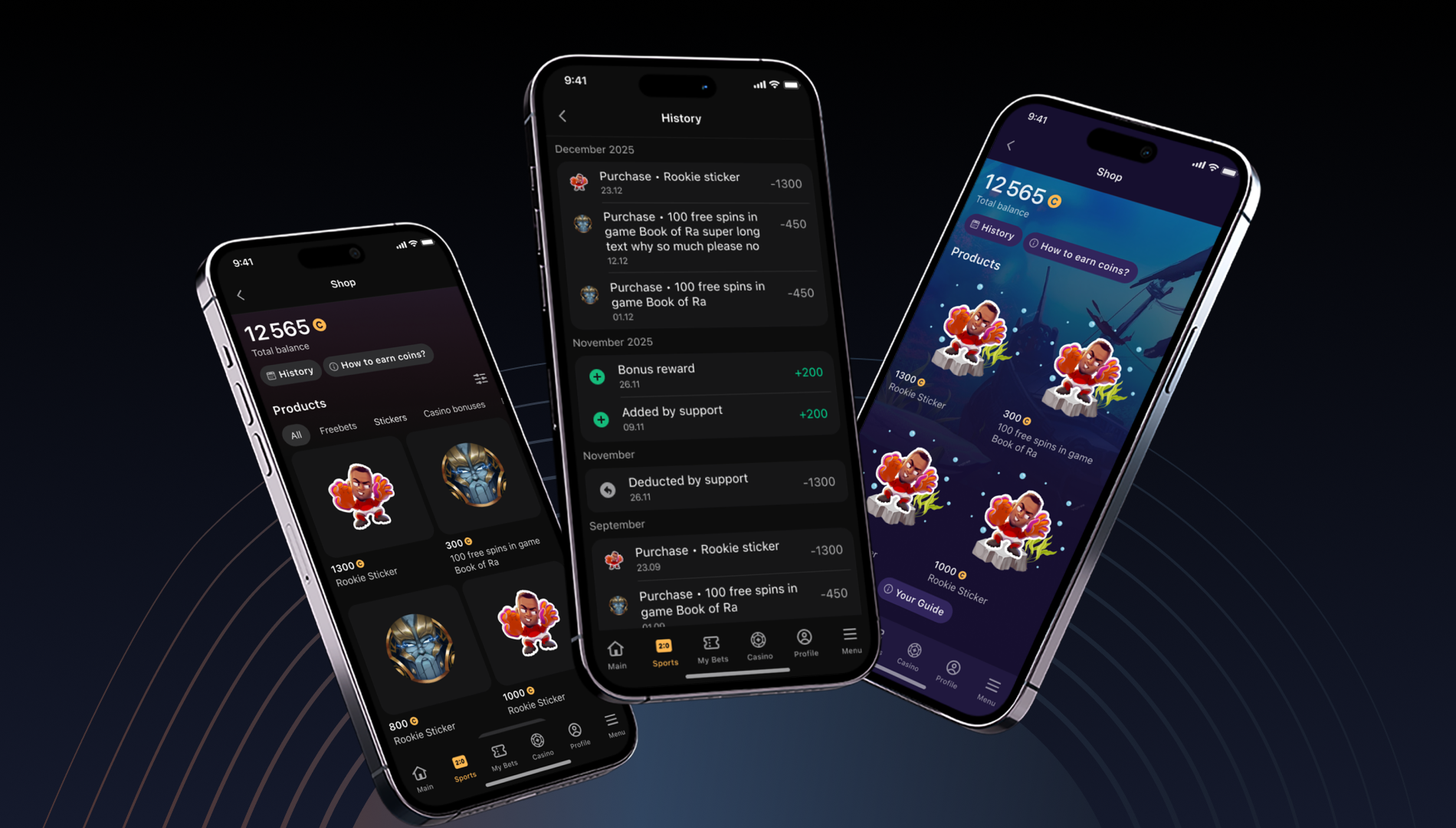
Bonus Shop is now available in the CRM Back Office! This fully customizable storefront allows players to spend virtual coins on rewards they value most. Operators can use the tool to enhance gamification, drive engagement, and build stronger player retention.
New capabilities for CRM teams:
- Custom Bonus Shop Page: Personalize the look, content, and visibility of products for different player segments;
- Virtual Coin Wallet: Let players track their current coin balances at any time, customize the coin names and images to match your brand identity, and grant them manually or automatically through Journey Builder;
- Flexible Product Offering: Add FreeBets, FreeSpins, or other bonuses, Fortune Wheel spins, and Scratch Cards as a Product and track their availability per player, item, or segment;
- Single CRM Back Office Integration: Manage Bonus Shop with UBO permission-based access;
- Analytics & Automation: Track every event to personalize CRM journeys and reward strategies.
✅ Bonus Shop is already integrated in CRM BO, so our clients can enable it after release without additional requests. Our team is also ready to provide full setup support.
Unified Multi-Currency Setup
We’ve rolled out a single setup for all currencies across brands to remove the necessity for duplicate configurations. For operators, this means faster campaign launches, cross-market consistency, and global player base management with local currency logic.
Key updates:
- One Setup for Multiple Currencies: Share entities and adapt conditions per currency while keeping mono-currency flows intact;
- Unified Catalog, Campaigns, and Promo Codes: Run global promotions with a single setup;
- Smarter Quest Progress Display: Build logic around the main or selected currency and deliver a cleaner, more intuitive player experience through percentage-based progress tracking.
Event Planner
Meet Event Planner, a tool designed for sportsbook operators who want to deliver timely, personalized content at scale. From now on, CRM managers can schedule and automate daily pre-match sports recommendations for targeted player segments to boost their engagement and loyalty.
Core features:
- Segment Targeting: Divide audience into Static or AMS segments to send tailored recommendations;
- AI-Driven Personalization: Give each player unique insights into top sports events through Recommender AI;
- Automated Scheduling: Configure daily recommendation delivery for pre-match events;
- Enhanced Engagement: Build more personalized and meaningful communication to increase user engagement and brand loyalty.
❕Only for Full Sportsbook customers, not applicable to iFrame clients.
Content personalization flow:
- The system generates pre-match sports recommendations and personalizes them with AI for each player in a segment;
- The recommendations go to Journey Builder with dynamic variables. The CRM team can use them in communication activities within the journey flow.
📍 Find Event Planner in: CRM → Operations Hub → Event Planner
Extra update:
Our team has also added Decision Split. The feature lets operators check whether a player made an “Unsettled bet” for an event recommended within Event Planner.
Our clients can enable the Decision Split feature after distributing the required UBO permissions for their teams.
Payment Events in Journey Builder
We’ve expanded Journey Builder with a “Failed Deposit Transaction” event that works for the Events and Event Detector activities. The functionality helps CRM managers react immediately when a player fails to make a deposit. This increases the chances of placing a bet and impacts GGR growth.
Use case:
Operators can target players who face deposit issues and build journeys that guide them toward completing transactions. For example, if a player hasn’t made a successful deposit within a specific time, the system triggers relevant follow-up messages.
Supported event conditions:
- Amount;
- Payment System;
- Decline Reason Code;
- Decline Reason Group;
- Payment Method Type.
Event variables available for journeys:
- FailedTransactionAmount
- FailedTransactionPaymentSystem
- FailedTransactionTransactionID
- FailedTransactionOrderID
What has changed:
Previously, CRM managers could only handle “Deposit Failure” notifications through the Notification Center. With this release, they can build custom flows directly in Journey Builder, selecting any communication channel to deliver personalized responses and support.
💡 Recommendation for our clients:
If you build the customer journey with the “Failed Deposit Transaction” event, disable the corresponding payment trigger. This will prevent duplicate player messages.
📩 Submit a configuration request to disable the corresponding payment trigger.
Visual Settings Templates for Promotions in Journey Builder
You asked for an easier way to manage promo content, and we delivered it. With our extended Promotion Visual Settings, operators can save as a template and reuse any setup configured in a journey. This reduces repetitive work, simplifies content creation, and minimizes manual errors.
🤝Want to streamline cross-team collaboration? Share the saved templates across the teammates.
LiveChat, Intercom, and Zendesk Now Supported with Player 360 Add-On
As of July 15, the contract between GR8 Tech and Salesforce has been terminated, but customer support isn’t ending. Quite the opposite. This change marks a major milestone for our CRM unit, which has successfully migrated all operator teams from Salesforce to alternative support platforms over the past few months.
Now, we are proud to announce the full integration with the following solutions:
Each platform runs across web and native apps, so operators can choose any tool that better fits their product.
Player 360 add-on for LiveChat & Intercom
You probably remember that we’ve already introduced Player 360 for Zendesk. This time, we are happy to announce that the Player 360 add-on is available for LiveChat and Intercom.
What is the Player 360 add-on?
Player 360 is a lightweight, embedded app that provides instant access to essential player data for support teams. Specialists get information directly from the platform they work on (LiveChat, Intercom, or Zendesk).
Key capabilities:
- Load automatically when a player creates a support ticket or starts a conversation;
- Search for the player’s profile via email, phone number, or Player ID;
- Display a player profile overview, transaction history (deposits and withdrawals for 3 months), promotion activity (for 3 months), and subscription details.
Why it matters for operators:
With Player 360, the support team gains the critical context to resolve issues faster and more accurately. As a result, operators deliver smarter support and raise player satisfaction.
👩🚀 Player Account Management (PAM)
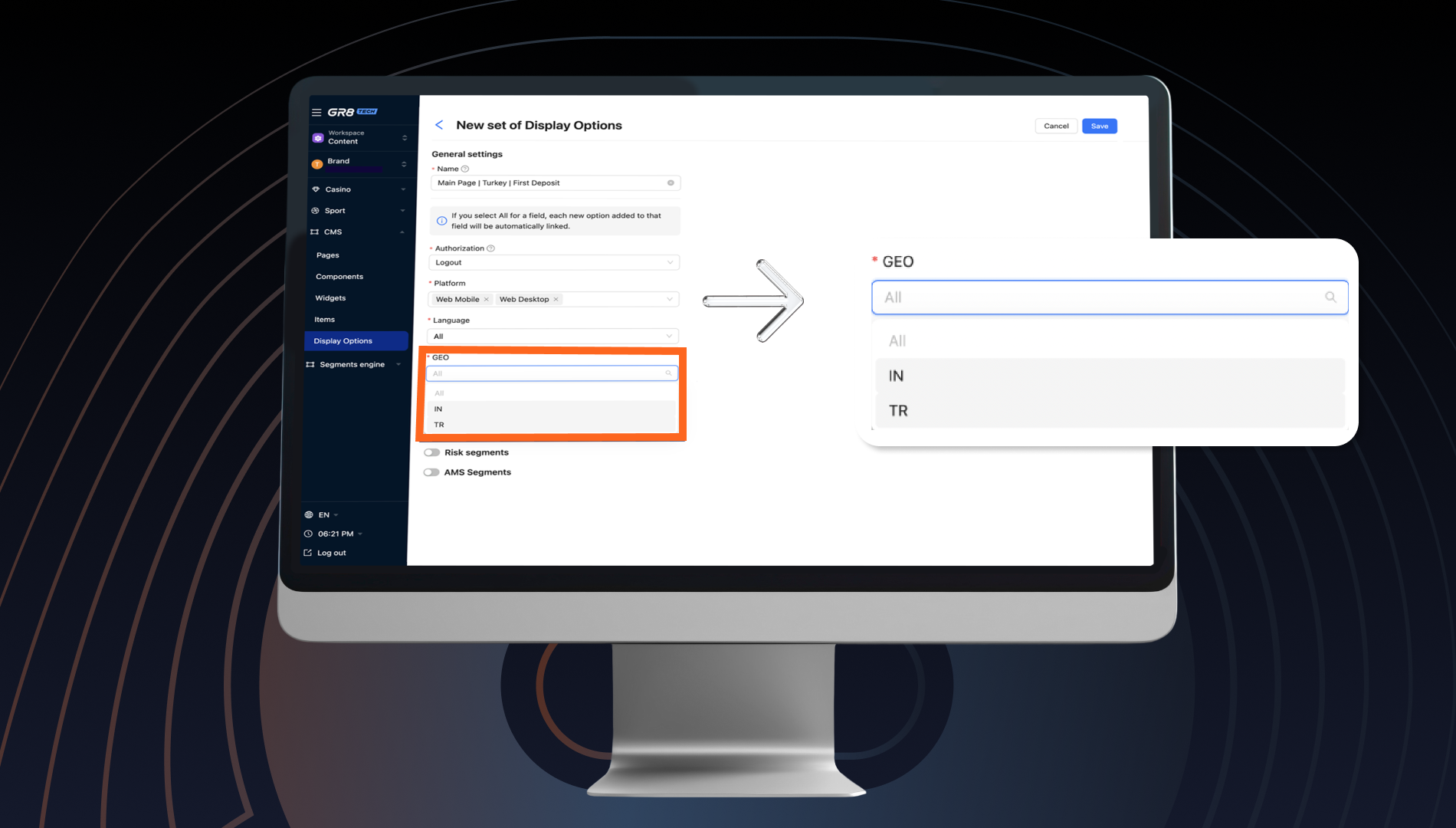
GEO Targeting in CMS Display Options
Explore a new way to deliver location-based content through CMS widgets with our GEO Attribute.
Key benefits for operators:
- Better UX: Show familiar events and games to all users, even first-time visitors who haven't signed up yet;
- Higher Engagement: Fuel betting activity through the content tailored to the region's specifics and preferences;
- Competitive Edge: Personalize experiences like the big players do.
Use cases:
Operators can set up different display options for each region and tailor main pages to locally relevant content. For example:
- Highlight Cricket Sport Line on the main page for users in India (GEO: IN);
- Feature Football Sport Line on the main page for users in Turkey (GEO: TR);
- Customize other regional main pages with content that matches local preferences.
🌎 Country selection depends on the brand's country settings.
♻️ Unified Back-Office (UBO)
UBO without VPN
We’ve successfully completed the “UBO without VPN” program, designed to streamline workflows and improve the overall operator experience. From now on, Unified Back-Office can be accessed directly, with no VPN.
What’s new:
- Vulnerability Fixes and Security Enhancements to ensure stable and safe access;
- Updated, Secure API Gateway strengthening reliability;
- Extended Audit Logging for extra transparency and control.
Audit Log Improvements
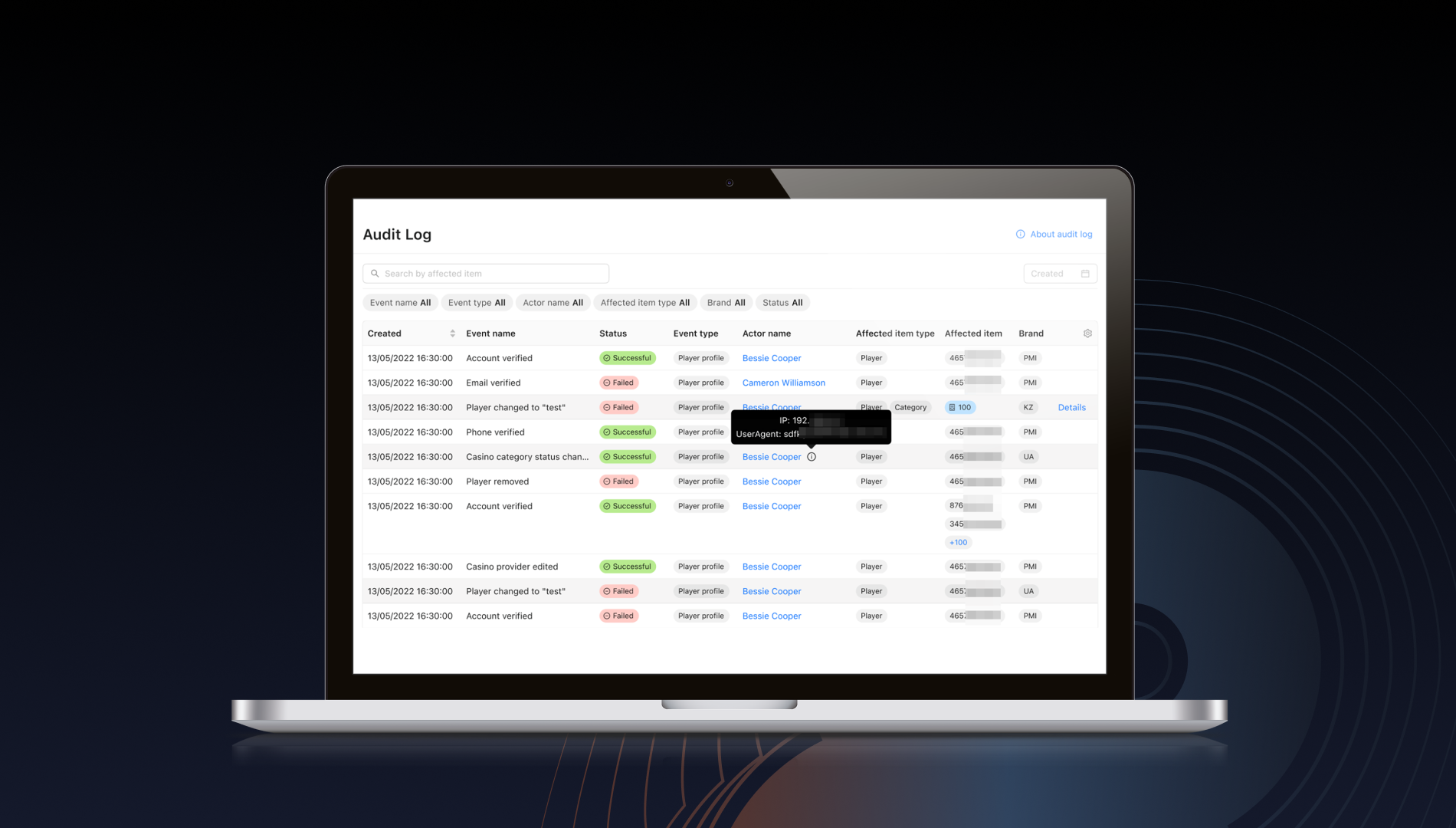
Remember to test one more update in the Unified Back-Office—an improved Audit Log. We’ve simplified its ongoing maintenance so operators can streamline system management and have a clear view across UBO.
Latest upgrades:
- Updated UI Components: The Audit Log now uses standardized UI elements, which improves consistency without changing core functionality or layout;
- Event Status Indicator: Each logged event now includes “Success” or “Fail” status, making it easier for operators to track the action outcomes;
- Data Source Update: Business objects are now used as the data source for greater accuracy.
🏓 Sportsbook
This month, we have plenty of features for operators.
Early Payout
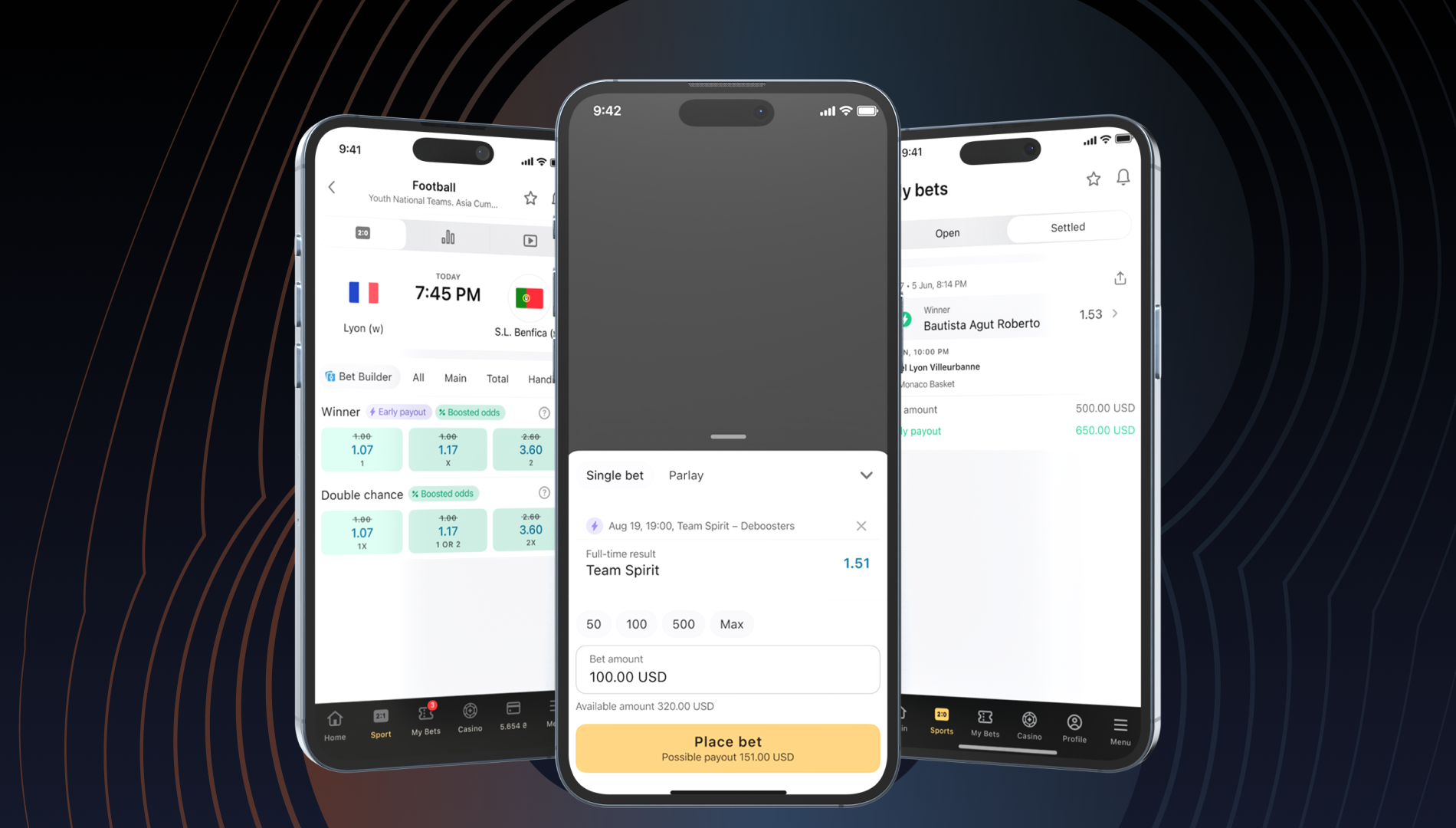
Let’s start with Early Payout. This feature settles bets as a win before the match ends when the selected team gains a decisive advantage (i.e., a 3-goal lead in football). Once triggered, the payout is final and no longer tied to the match result. This gives players the thrill of a “guaranteed win” and encourages them to re-bet during live and upcoming events.
Feature specifics:
- Pre-Match Only;
- Market: Full-time result (1X2), W1 and W2 only;
- Channels: Available across all channels;
- Bet Types: Single, Parlay, and System (For singles, payout is immediate; For Parlays and Systems, the outcome is marked as won, while the final settlement waits for the remaining outcomes to settle);
- Tournament List: Operators can already access a default list on their products or customize it through a configuration request;
- Delay: If the goal is cancelled during a 5-minute delay, the payout becomes invalid;
- GrowthBook Targeting: Available;
- Testing: Ready for A/B tests.
Benefits for operators:
- Boosted player retention and lifetime value;
- Increased betting turnover through more frequent re-betting;
- Brand differentiation and the ability to provide a unique payout option.
💡 Recommendation for our clients:
Activate Early Payout on your brand asap to spark engagement and bring extra value to your audience.
📩 To activate Early Payout, submit a configuration request. Specify the changes under the brand to customize the tournament list.
New Win Bonus in Betslip on the GR8Light Frontend
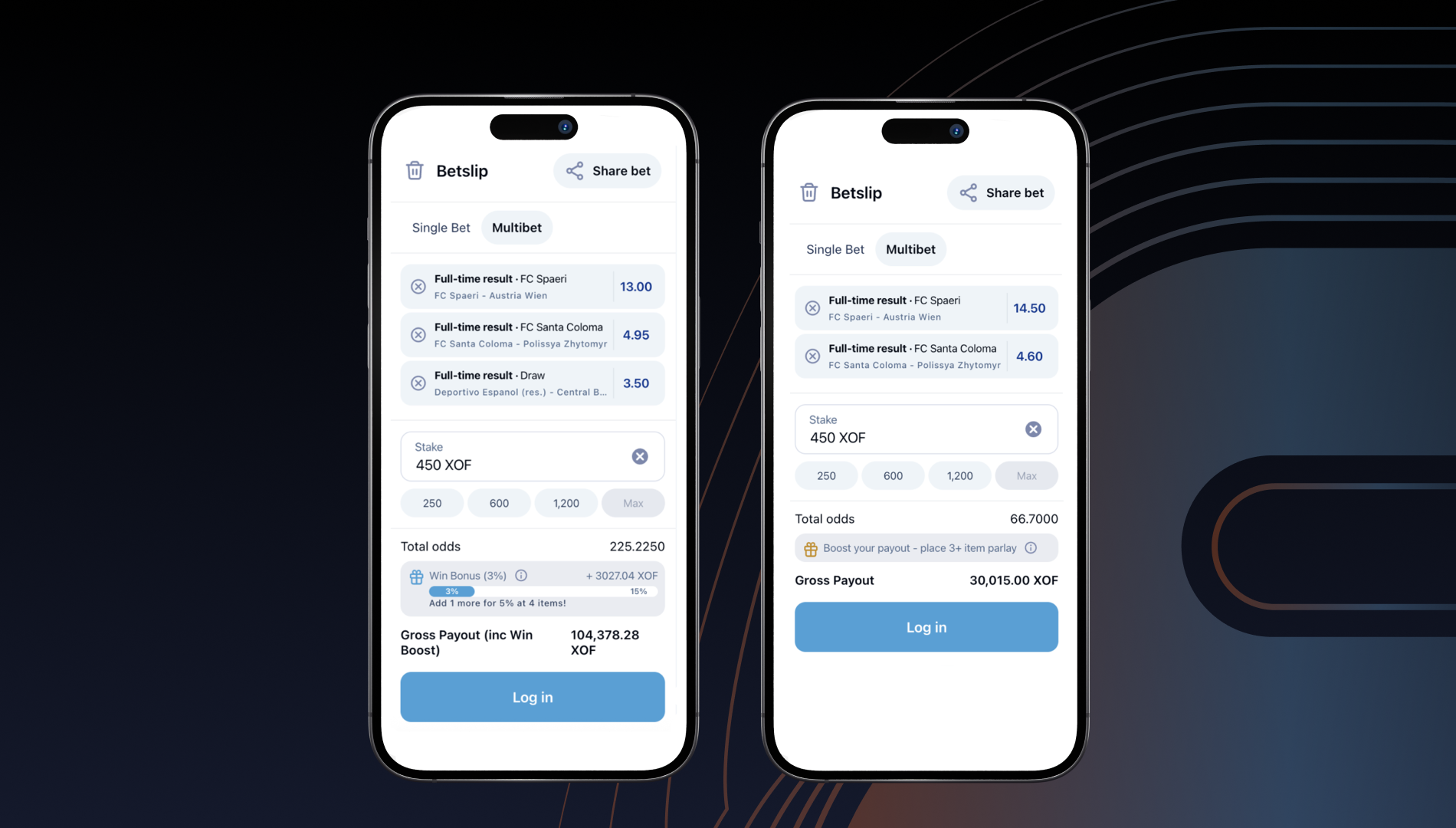
We’ve introduced Win Bonus, a new feature that lets operators reward players with an extra percentage on their net winnings from parlay bets. The bonus depends on the number of included qualifying selections and encourages users to place larger parlay bets. For operators, this bonus comes at a lower cost than traditional Parlay Boosts.
Calculation:
Win Bonus = (Payout – Bet amount) × Bonus %
Bonus specifics:
- Scope: Applies only to parlay bets with qualifying selections (e.g., odds above the configured minimum, within chosen sports, tournaments, or events);
- Bet Types: Available for both pre-match and live;
- Settlement: Bonus is credited after the bet is fully settled;
- Exclusions: Can’t be combined with Parlay Boost, FreeBet, or CashOut;
- Admin’s capabilities: Admin can define event ranges (e.g., 5–10 events) and apply the same bonus percentage across the range.
Configuration:
Settings can be configured directly in the UBO. The feature is currently not available for our full-platform clients, so we do not recommend enabling it if the frontend does not support it.
Upcoming releases:
- Full-Platform Frontend: Win Bonus will be added soon to the new betslip widgets;
- Iolite Frontend: It will be possible to implement the Win Bonus via the Bonus Engine.
💡 Recommendation for our clients:
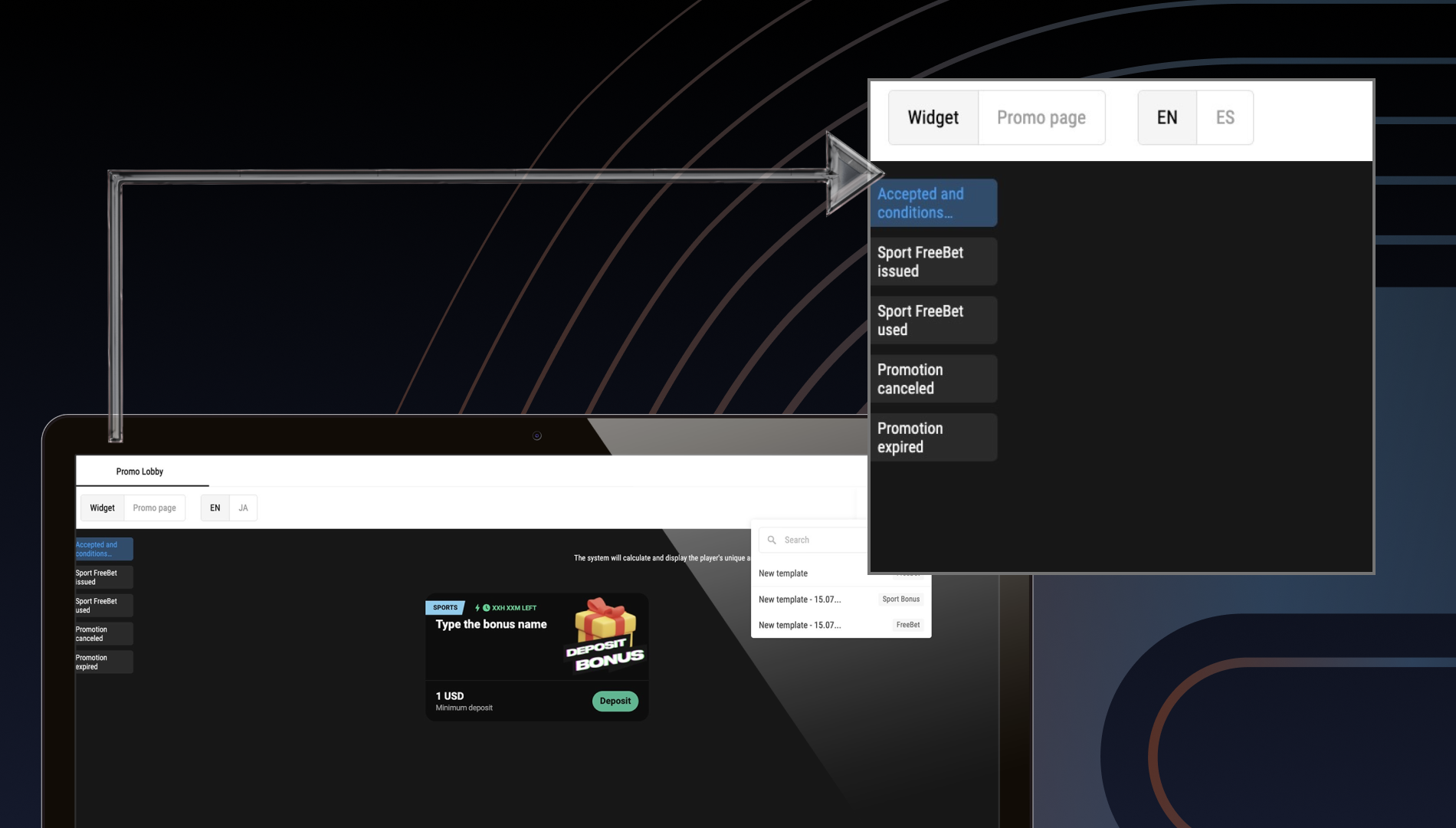
Before launch, add promotion terms and conditions to a promo lobby page to avoid disputes and highlight feature value.
New AI-Based Sorting
❕Only for Turnkey and iFrame solutions.
Here’s one more update for deeper engagement—an AI model that personalizes and optimizes sports & tournaments sorting. It dynamically adapts the order to betting activity, player trends, and user behavior, and works both for live and pre-match.
Benefit for users: Smarter, more relevant ordering.
Benefit for operators: Higher engagement and conversion.
AI-driven sorting covers:
- Sports menu;
- Pre-match tournaments (Event View: 1h–24h, Top, All Upcoming);
- Top tournaments;
- Live tournaments (Event View, All Live);
- Top tournaments in the desktop left navigation.
💡 Recommendation for our clients:
Since the model needs sufficient data to reflect meaningful trends, don’t enable it for new brands with low betting activity.
How to test the model:
📩 Our clients can submit a Jira request and enable each model individually or in combination through GB keys (per brand, user, or segment). Manual adjustments are also available in UBO for deeper control.
Trending Sports Widget
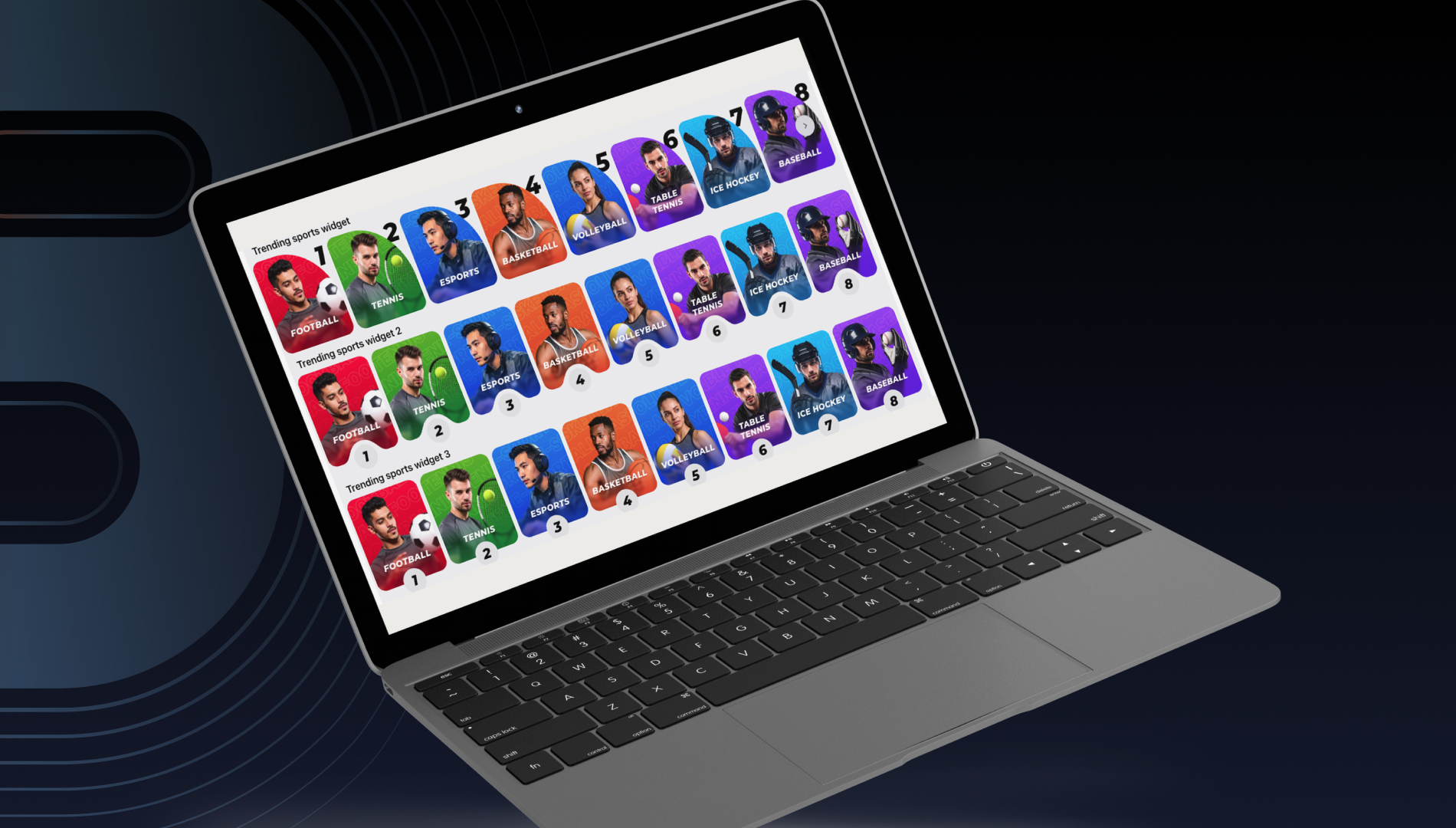
Explore the possibilities behind the Trending Sports widget for your sportsbook. This dynamic widget highlights the most popular sports based on real-time trends, helping players discover what’s in demand while giving operators more flexibility and control.
Benefits for players:
- Visually engaging layout with clearly featured images for trending sports;
- Seamless product navigation via intuitive entry points.
Benefits for operators:
- AI-driven sorting of trending sports, with the ability to apply manual adjustments or a hybrid approach;
- Customizable layout that lets operators show or hide sport titles and rankings, and choose from different image styles.
How to set it up:
- Go to UBO > CMS > Widgets;
- Use the Create/Edit workflow to configure the trending Sports widget;
- Add the widget to the Main Page.
Customization options:
📩 Operators can submit a configuration request to add customized images to the sports list.
Virtual Horse Racing
We’re excited to add one more fantastic product to our virtual offerings. Virtual Horse Racing is a simulation that pairs familiar experiences with fresh visuals and helps operators engage players with dynamic betting opportunities.
Key features:
- Dynamic Visualization: Create an immersive experience for players with two types of race views;
- Flexible Setup: Include up to four different tournaments in your brand;
- Frequent Events: Fuel player engagement with races running every 3 minutes;
- Betting Flow: Let players place bets before the race, then keep them engaged with the race visualization once betting closes.
Available markets per race:
- Winner;
- Place 1–2;
- Place 1–3.
📢 Affiliate Platform
Agent Management System
Our new Agent Management System is live and ready for clients. The system gives operators full control and visibility in managing affiliate and agent networks.
Key functionality:
- Unlimited Agent Hierarchy: Run networks across different GEOs, brands, and currencies from one platform;
- Agent & Player Creation: Build and track flows within the system;
- Transfer Functionality: Enable deposits and withdrawals between agents or between agents and players;
- Real-Time Stats: Monitor player and agent performance instantly;
- Balance & Transfer History: Review all transactions within an agent’s network.
Recent Feature Highlights
Smarter emails:
- Personalization with placeholders (e.g., player name, sign-up date, or manager’s name);
- Ability to send test emails before launch.
Better reports & insights:
- Brand-level click counts and click-to-registration metrics;
- New ADPU (Average Deposit per User) metric for campaign comparison;
- “Partially Paid” status to flag incomplete payouts.
New functionality:
- Affiliate Notes to share messages across teams in a structured format;
- Action Deposit postback that tracks every deposit (FTD and repeat deposits);
- Deposit postback is upgraded and includes the total amount, platform currency, and player currency.
Smarter traffic distribution:
- Ability to handle untrusted sources via trusted/untrusted mirrors;
- Traffic auto-distribution that extends domain lifespan and reduces block risk.
Need help setting up WalletConnect, Event Planner, or Early Payout? Check the configuration guides in the Knowledge Hub or drop a comment below. ⬇️⬇️⬇️