Multi-wallet deposit support? Check. Smoother Sports Navigation across Live and Pre-match? Check. New AI-powered sorting in the Casino? Also check. And these are just a few updates from November’s release package. Dive into the digest to uncover even more tools for player targeting and retention.
🧩 Content Management System (CMS)
We’ve introduced the Announcement Line component to help operators inform players about mirror links, promotions, and other urgent updates. The line appears right at the top of the website and can be presented in multiple variants, each with its own targeting rules and content.
Displaying logic:
- Each Announcement Line displays one item at a time, following the pre-set order;
- When a player closes an item, it disappears immediately, and the next one shows after the page reloads;
- The “Show again after closed” setting brings important messages back after a specified period.
❗Available for web version only.
Key configuration features:
- Add clickable text or make the entire line clickable;
- Customize icons and background colors;
- Configure conditions for re-displaying the line if it has been closed by the player.
📍 Find the Announcement Line settings in: CMS → Components → Announcement Line.
⭐ Customer Relationship Management (CRM)
CRM improvements never slow down. This time, we delivered new link features and a comprehensive API pack for refined journeys and stronger support.
Auto-Accept Link for Promotions in Journey Builder
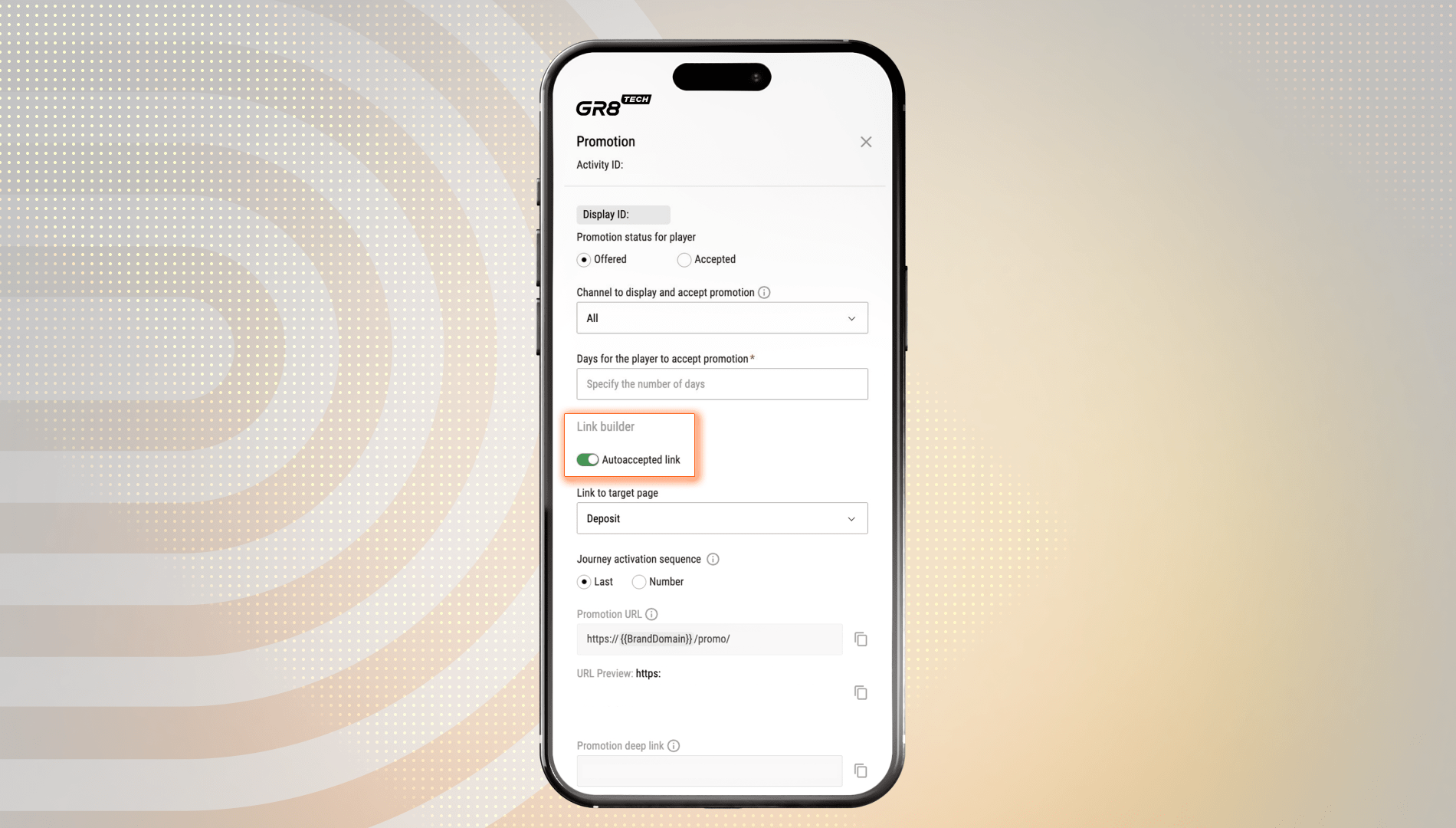
A new Auto-Accept Link feature is available in Journey Builder to simplify the way players interact with promotions. Now, operators can generate a link that lets players accept a promotion automatically with a single click. The update brings smoother, conversion-focused journeys, fostering immediate engagement with live promotions.
How to use it:
- Tap the Promotion stage in Journey Builder and activate the Autoaccepted Link in the Link Builder tab;
- Choose where to redirect players (by default, it is the Cashier (Deposit) page);
- Send the generated link directly to players.
❗The promotion activates only when the player is at the Promotion stage in their journey. If they’re not, an error message will pop up, preventing invalid activation.
Hyperlink Support for Bonus Description
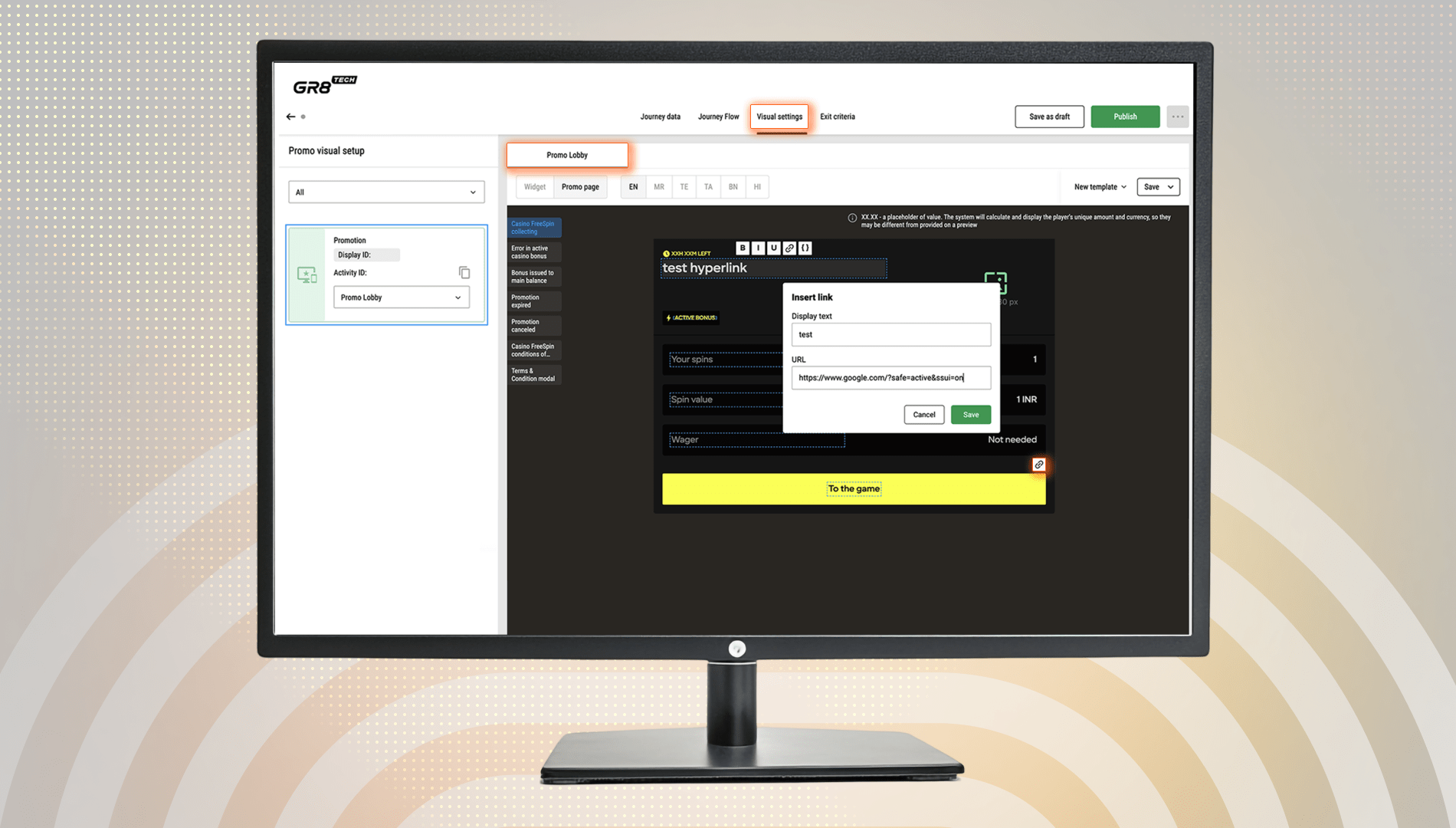
We’ve also added a new hyperlink option to Bonus Descriptions in Journey Builder (Visual Settings). With this update, operators can insert clickable links directly into text fields, seamlessly guiding players towards relevant terms, instructions, or support materials.
How to insert the link:
- Via the link icon;
- With the Cmd+K shortcut.
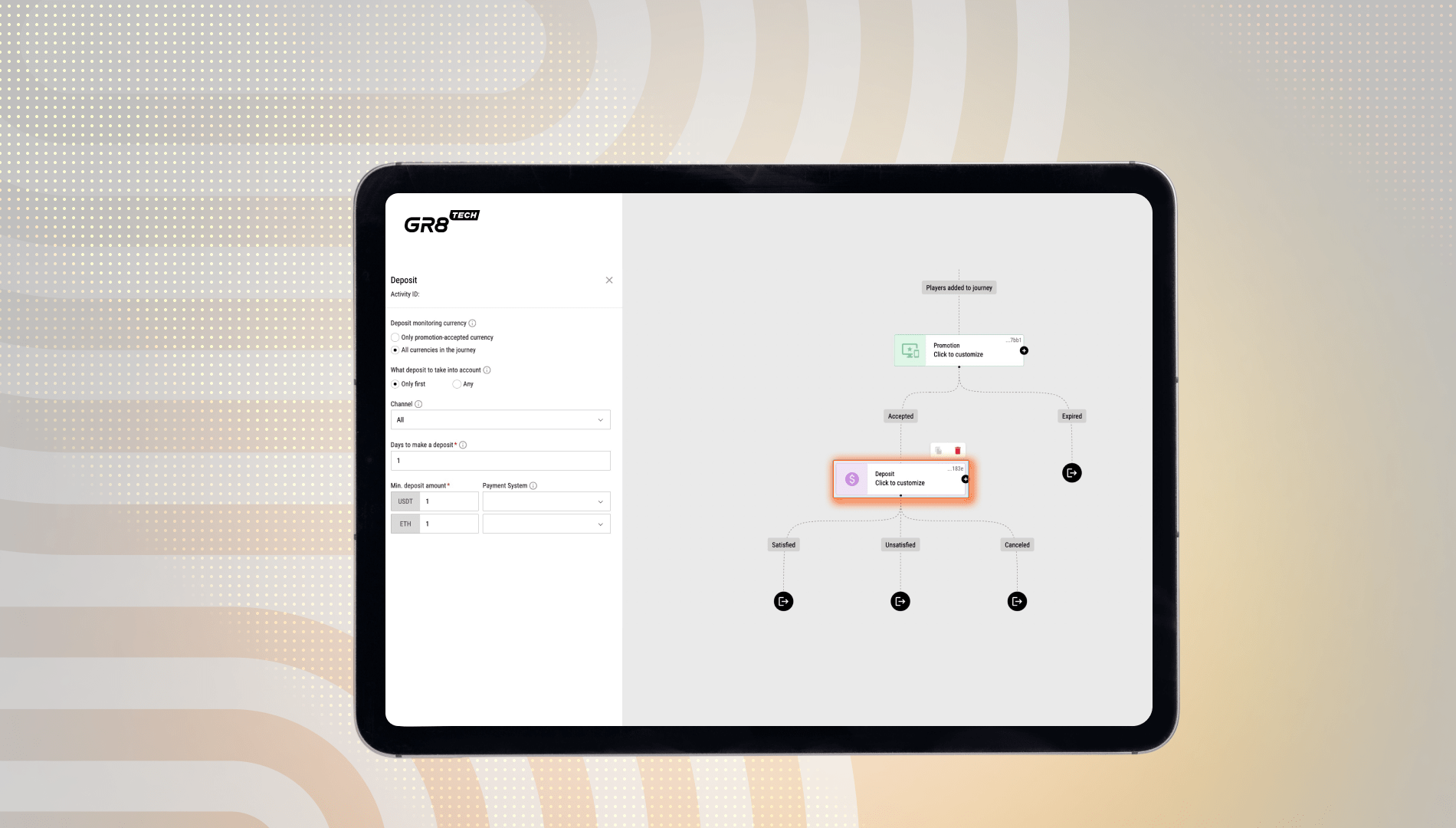
Improved Deposit Activity for Multi-Wallet Environments
The Deposit Activity in Journey Builder now supports deposit handling across multiple wallets and gives CRM managers more control over multi-currency promotions.
Available deposit modes:
- Mode #1: Accept deposits only in the currencies defined for the promotion;
- Mode #2: Accept deposits in any currency within the journey.
How it works:
- The mode is configured during promotion setup, and all activity parameters follow the chosen logic;
- Bonus rewards are issued in the same currency as the deposit conditions.
Example:
- If you enable “Apply only 1st deposit” and select Mode #2, the system applies the bonus to the first qualifying deposit in any currency the player uses;
- If you enable “Apply only 1st deposit” but select Mode #1, the system applies the bonus only to the first qualifying deposit in the promotion’s currency.
New APIs for Player Information, Transactions, Tags, and More
The customer support tools get a significant upgrade thanks to a new set of API endpoints. They allow support teams to easily access key player information, including profile details, recent deposit and withdrawal transactions, notification settings, and player tags defined in the UBO. As a result, operators reduce manual work, speed up case handling, improve accuracy, and deliver more personalized, automated interactions across all support channels.
Capabilities behind new APIs:
- Easily connect to systems such as Intercom, Zendesk, or any platform that supports external API calls;
- Automatically retrieve player data before an agent steps into the conversation, enabling the team to start every interaction with full context.
Available APIs and use cases:
- Find Player by Email or Phone: Check whether a player is registered by their email address or phone number to speed up verification and remove the need for manual search when they reach out to the support team;
- Get Player Data by ID: Get detailed player profile information (Registration Language/Date, Focus Group Name, Risk Sport/Casino/Business Segment, Bonus Campaign ID, and player's account verification status) to automate status checks and direct players to the right support team;
- Get UBO User Tags: Retrieve player tags assigned in the UBO to understand the player’s category (e.g., VIP, high-risk, new depositor, etc.) and automatically prioritize or route the customer request according to their profile;
- Get Payment Transaction Data by ID / List Payment Transactions: Access a player’s transaction data, including deposit and withdrawal details and their statuses, to reduce ticket volume and improve response speed;
- Get Player’s Notification Settings Data: Enable a customer support or sales team to check the player’s preferences for receiving updates (SMS, phone, or other channel) before initiating an outbound message or call to ensure communication compliance and better customer experience.
♻️ Unified Back Office (UBO)
We’ve rolled out several improvements across UBO to make monitoring more accurate, workflows more intuitive, and metrics easier to interpret.
Key updates:
- Mandatory Username column (next to Player ID), Username filter that supports exact and partial match, and CSV export options in the Casino Monitor;
- Decimal division for cryptocurrency values for better accuracy in related metrics in the Casino Monitor;
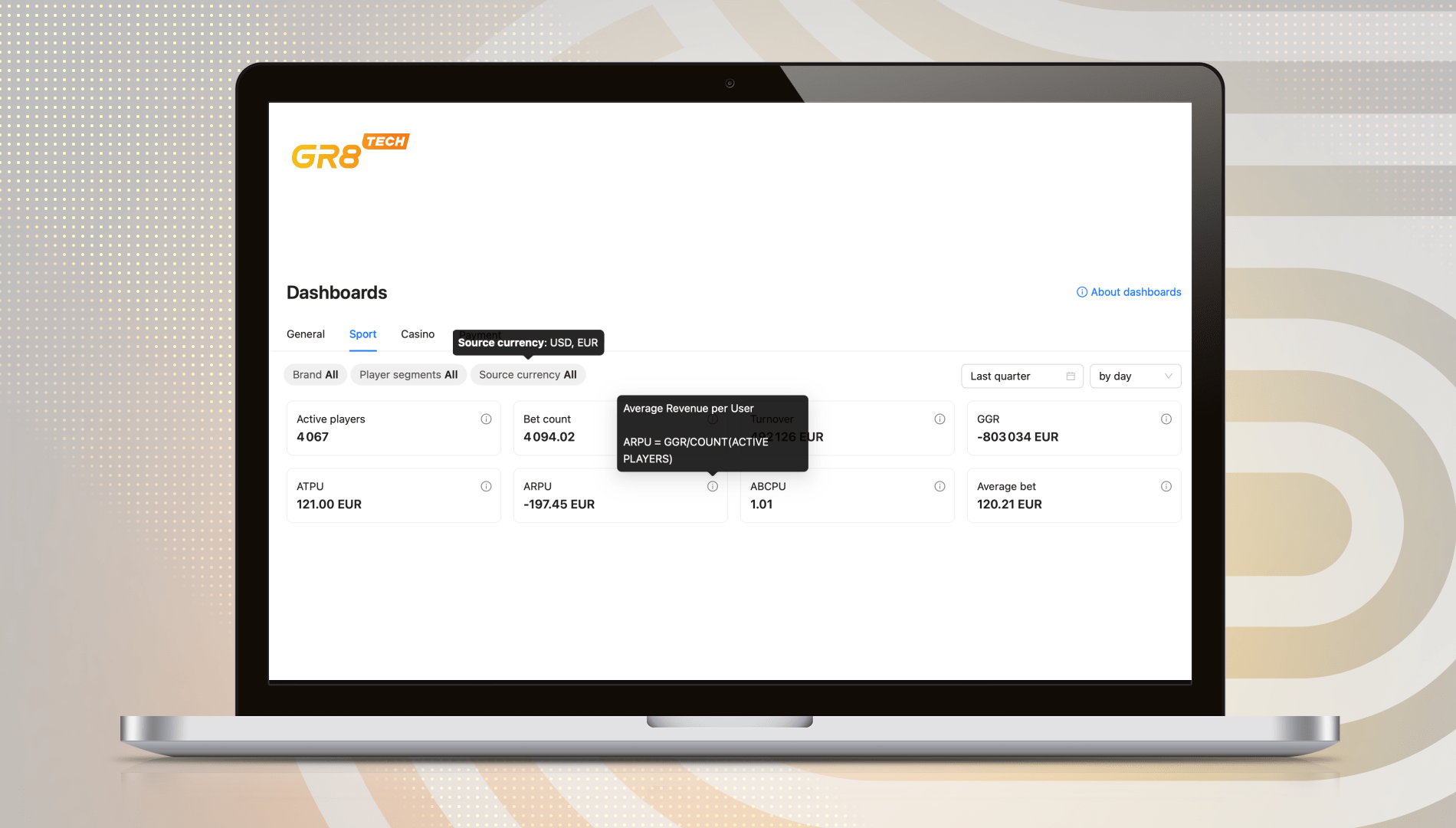
- Dashboards with a Source Currency filter that allows operators to segment data by currency and convert metrics to EUR after filtering;
- Metric descriptions in Sport and Casino Dashboards featuring precise formulas in info hovers (e.g., ARPU = GGR / COUNT(ACTIVE PLAYERS));
- Refreshed Turkish translations across UBO MFE for deeper localization.
💳 Payment Hub
After introducing bonus displays in amount blocks, our team observed a 37% increase in engagement and a tendency towards higher average deposits. Now, we continue to enhance the deposit experience by expanding the Amount Block logic with two upgrades:
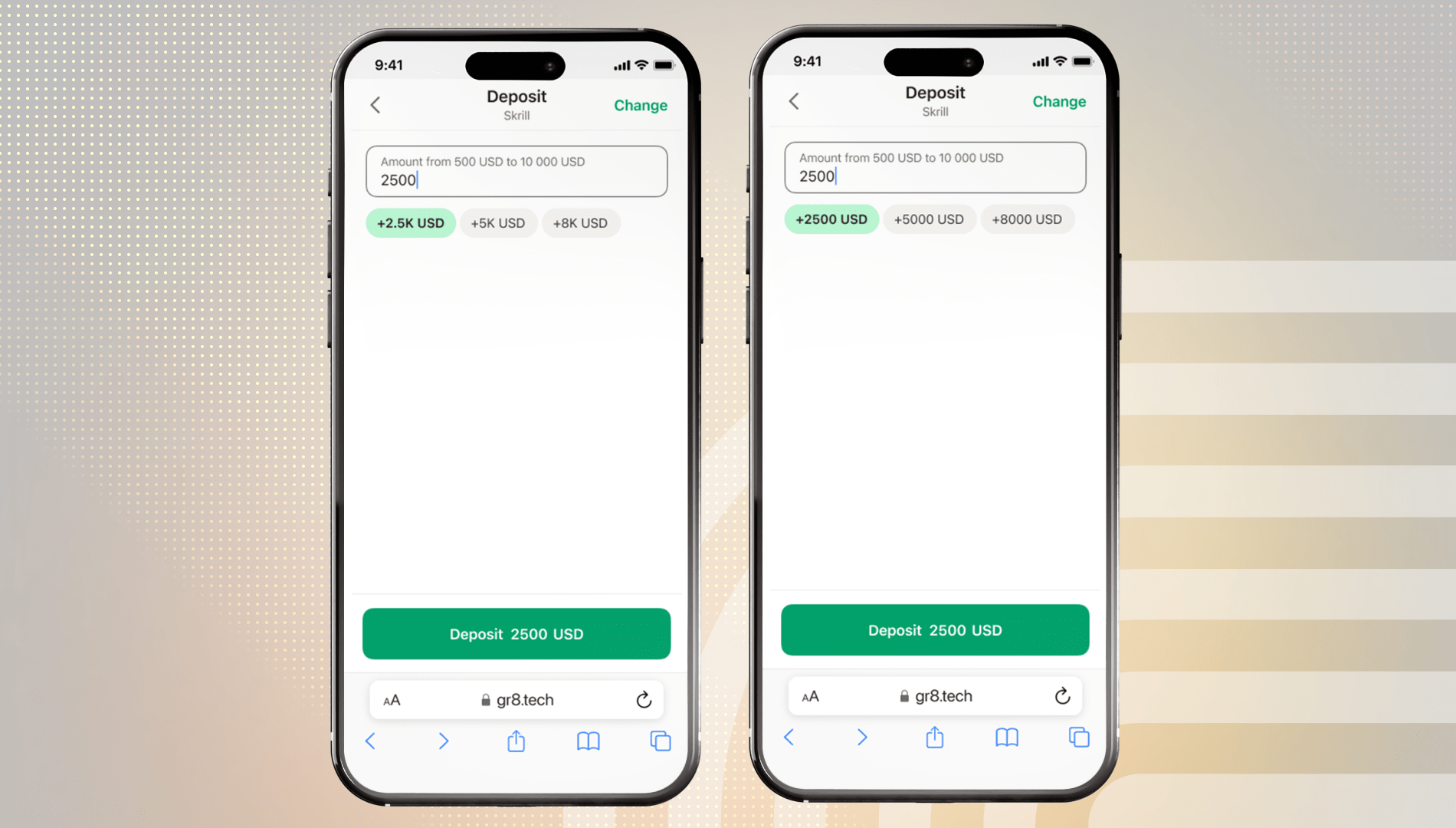
- Shortened Amount Blocks: When large values don’t fit on the screen, the system now shortens the list for cleaner visibility and better UI/UX (the amount itself does not change);
- Summed Amount Blocks: Players can combine multiple amount blocks to increase their deposit amount quickly.
These enhancements give players a smoother deposit flow and help operators drive payment activity.
⚽ Sportsbook
Test what’s new in Sportsbook: from smarter FreeBet logic to expanded sports coverage and a more intuitive user experience.
New Sports Navigation
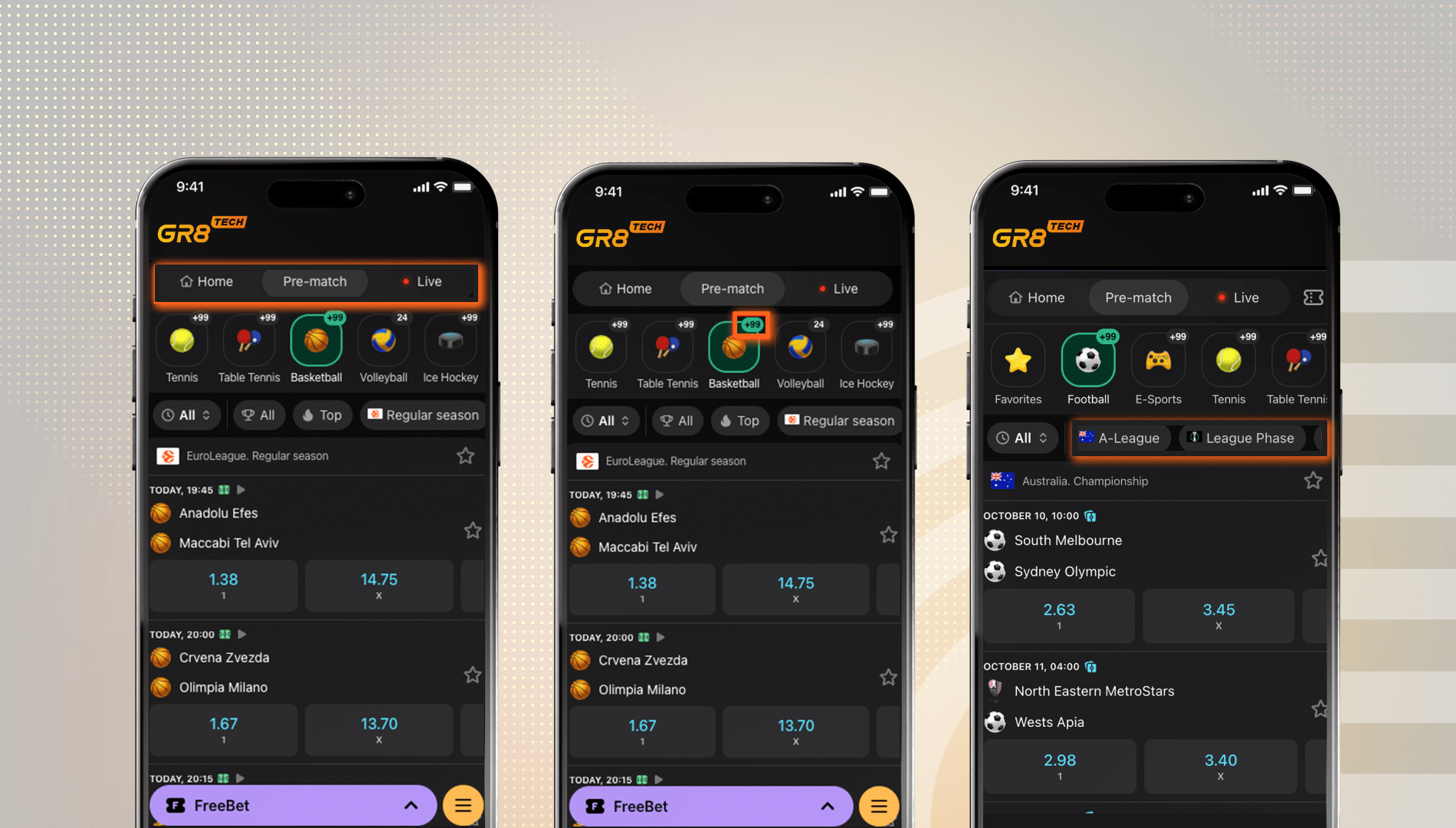
You asked for a faster, clearer, and more intuitive Sports Navigation experience, and we delivered it. The redesigned setup lets bettors access the events they want with fewer steps, providing operators with extra ways to spark engagement across both Live and Pre-match journeys.
Key highlights:
- Smarter Navigation with the Stage Selector: Enable users to choose the Live or Pre-match stage and automatically adjust every next step, including a sport or tournament selection, based on that choice, showing only the events that match the selected stage;
- Always-On Stage Selector: Let users switch between Live and Pre-match at any moment without leaving their current page. The Stage Selector is available across all sport pages for Full Platform clients and on every page for iFrame clients;
- Quick Access with the “Home” Button (for iFrame clients): Return users to the main page instantly with a dedicated Home button, saving their time and simplifying navigation;
- Event Counts in the Sports Menu: Keep users updated on where the action is happening with event counts displayed next to each sport, so they can prioritize the events and make faster decisions;
- Streamlined Tournament Filters: Retain a clean interface and help users focus on the most exciting tournaments through single-selection filters;
- AI-Powered “Quick Tournament” Chips: Feature the trending tournaments with AI models tailored to the chosen sport, guiding the users toward high-engagement events without extra search;
- All Events on One Page: Let users browse any sports event in a continuously loading list, eliminating the need to drill down into tournaments unless they prefer to do so.
✅ Available for web and mobile.
Compatibility with current navigation:
- Every client can decide whether to continue using the existing navigation or switch to the new one;
- Once enabled, the new navigation replaces the navigation bar (page name and back button) on overview pages. At the event view level, however, the navigation bar stays visible;
- We will turn off the separate All Live navigation, as users can now choose Live as their starting stage.
📩 To activate new Sports Navigation, submit a configuration request. Specify the preferred setup (display options for time filters, maximum number of “Quick Tournament” chips, and default chip value).
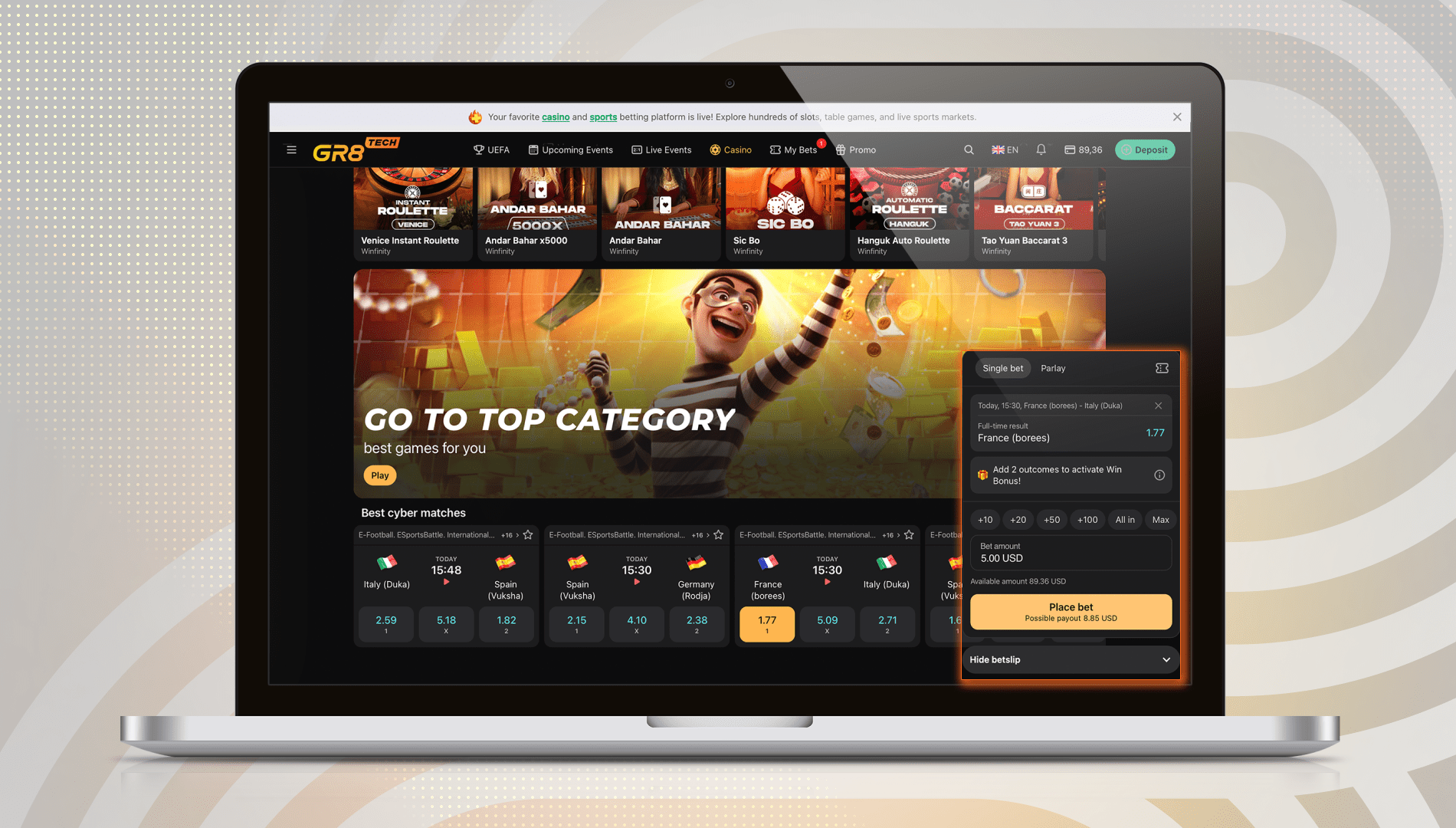
Floating Betslip for Cross-Product Betting
Extend the sports betting experience across your entire platform with the Floating Betslip. Now, casino and other non-sports pages built on widget architecture can support sports widgets and betting interactions with no extra effort. This update opens new opportunities for cross-product journeys and keeps players active wherever they choose to play.
How it works:
When a player selects an outcome in any sports widget, the Floating Betslip appears instantly, letting them place a bet without leaving the page.
Key benefits:
- Seamless betting experience on the casino and other non-sports pages;
- Ability to use sports widgets across any pages with widget architecture;
- Improved cross-product engagement between Sportsbook and Casino;
- Availability for all brands moving to the new Betslip version.
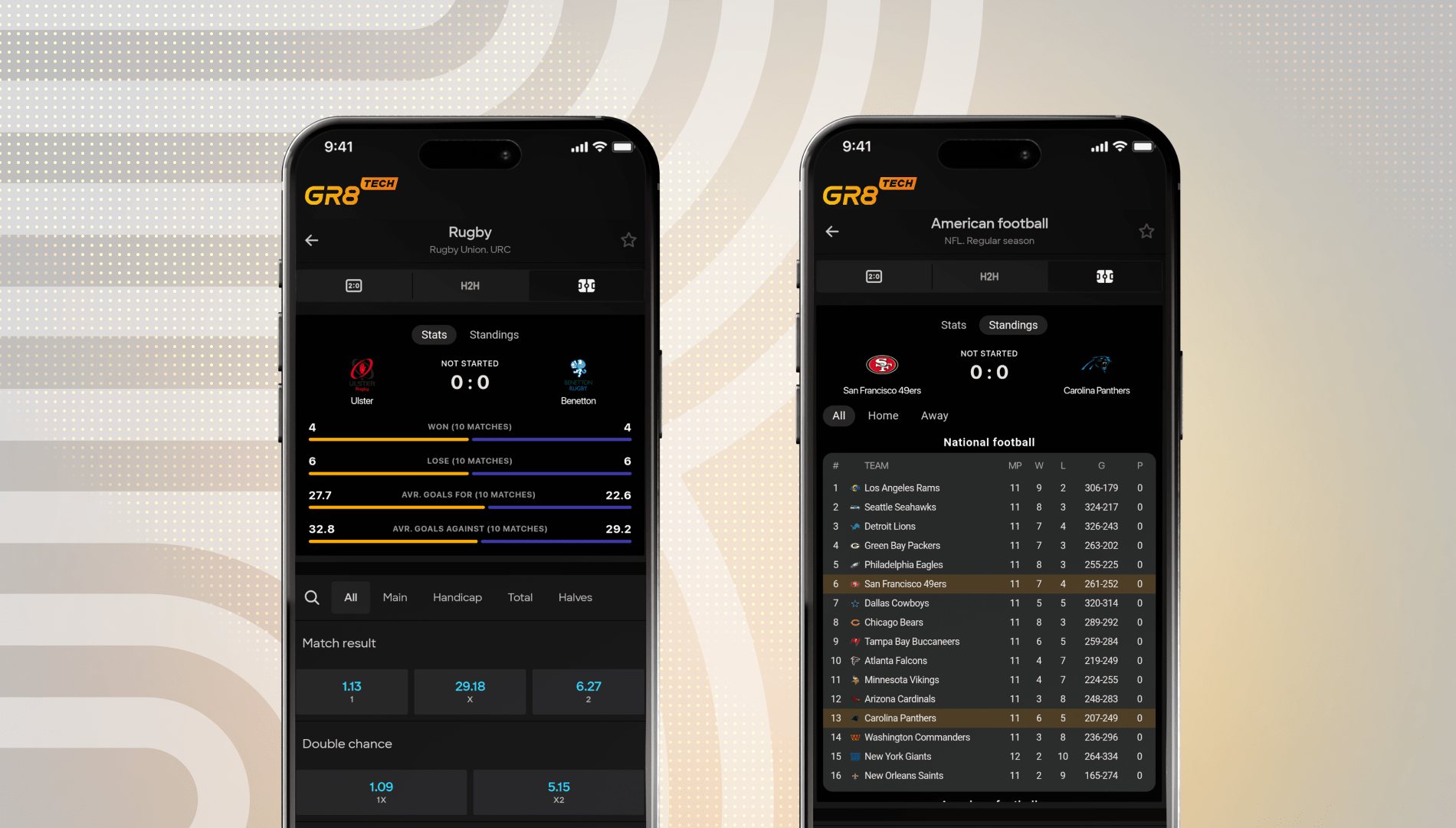
Expanded Sports Coverage in GR8 Tech Stats Widgets
A new lineup of sports is available in GR8 Tech Stats Widgets. It offers bettors richer Stats and Standings across more disciplines, while providing operators with extended analytics coverage at no additional cost.
Newly added sports:
- Baseball;
- American Football;
- Rugby;
- Futsal;
- Beach Football;
- Water Polo;
- Table Tennis;
- Beach Volleyball;
- Darts;
- Snooker;
- Badminton.
✅ All new sports are already included in your existing package. Simply activate Stats Widgets and bring deeper insights and stronger engagement to your sportsbook.
Faster Early Payout
An updated version of Early Payout is live. Now it triggers when a team leads by 2 goals instead of 3. With the new setup, players can enjoy clearer rules and a smoother experience, while operators benefit from stronger turnover and increased engagement.
Why it matters:
Most top platforms already settle Early Payout at a 2-goal advantage, so this update ensures your players get the experience they expect. The change applies across all brands and brings your product logic in line with current market standards.
How it works:
- Early Payout triggers once per team upon reaching a 2-goal lead;
- Each team can receive Early Payout only once per match;
- Example: If Team A goes up 2–0, Early Payout settles bets on Team A. If the score later shifts and Team B eventually leads 2–4, Team B receives Early Payout.
📩To activate the feature or update the list, please submit a configuration request.
Early Payout and BetBuilder:
- BetBuilder bets are excluded from Early Payout calculations due to the risk of overpayment;
- Example: A combo bet “Home Win + Away Over 2.5” could incorrectly trigger Early Payout at 2–0 even though the game may end in 2–3. Excluding BetBuilder prevents these scenarios and keeps settlement aligned with real bet results.
Reporting and filters:
- A new Early Payout filter will appear in the General Metrics Tableau report;
- The UBO already includes a filter to identify Early Payout bets. If a bet is not settled, it is potentially eligible for Early Payout. If a settled bet is marked “Win” or “Lose” alongside the Early Payout filter, it means it was settled early if the rule applied.
Value for operators:
- Increased engagement and bet turnover;
- Extra tool for acquisition and retention;
- Faster reinvestment during the same or upcoming matches;
- Differentiation in a competitive market.
Value for players:
- Early profit security (i.e., no need to wait for full-time);
- Excitement and a sense of “guaranteed win” when the chosen team leads;
- Faster fund releases and reinvestment in other bets.
Important details:
- All bets placed before October 29 will follow the new 2-goal rule;
- During the update rollout, Early Payout will be temporarily unavailable for a few hours.
ℹ️ Early Payout is a feature that settles a bet as a win before the match ends, once the selected football team gains a qualifying lead. The payout is final and remains unaffected by the final match result.
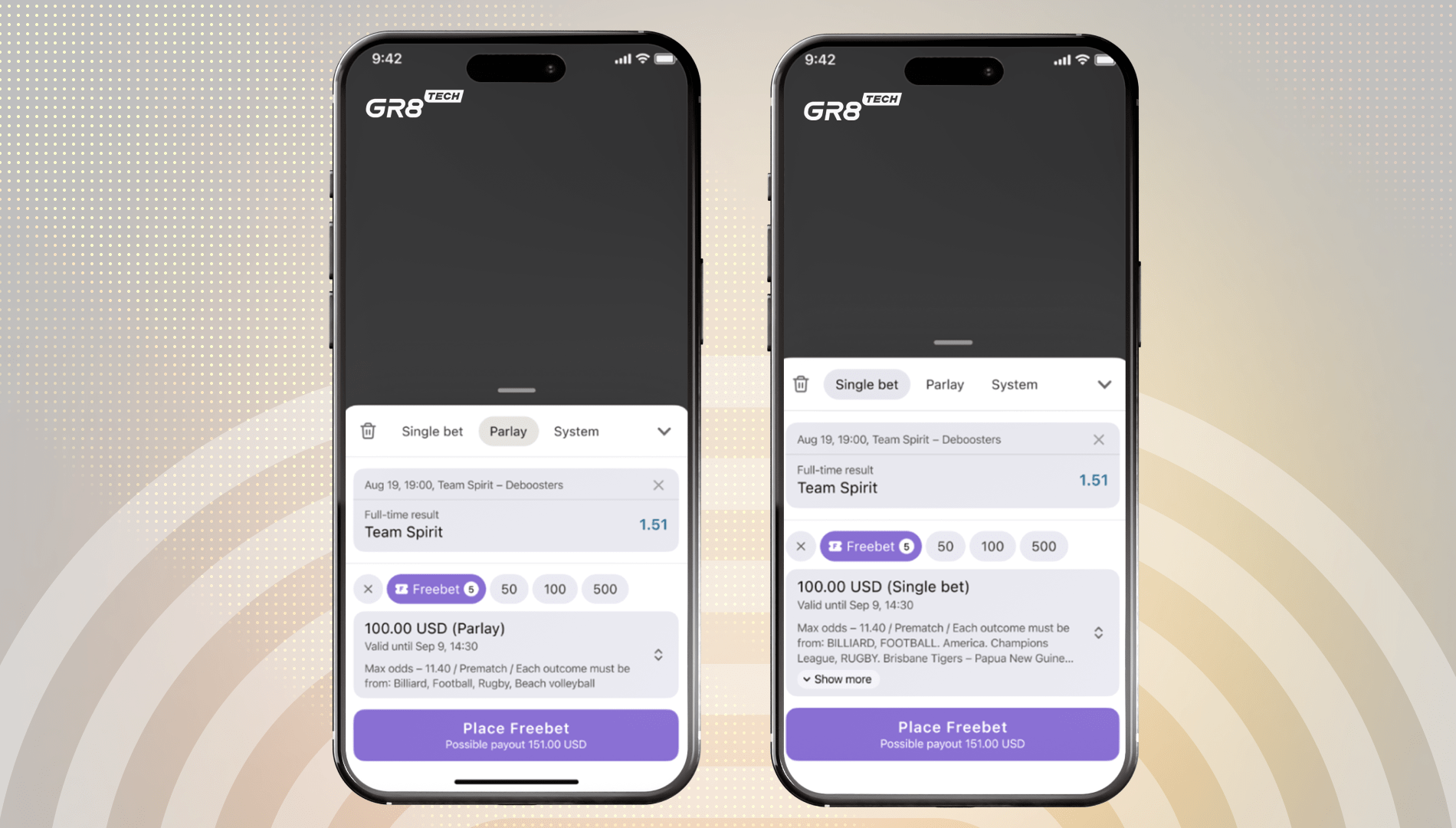
FreeBet Targeting Expanded to Tournament and Event Level
Remember to test expanded FreeBet configuration options to gain more precision and control over your campaigns. Until now, FreeBets could only be targeted at the sports level. With this update, managers in Retention, Engagement, and Acquaintance (REA) Back Office can define conditions at the tournament and event levels, enhancing the flexibility and relevance of targeted campaigns.
Configuration options:
- Add up to 5 condition blocks per FreeBet, including Sport only, or Sport + Tournament, or Sport + Tournament + Event;
- For Parlays, choose whether the FreeBet applies only if all events match or if at least one event matches.
Promo Lobby specifics:
All conditions must be listed manually in the FreeBet rules, as tournament and event details are not pulled automatically.
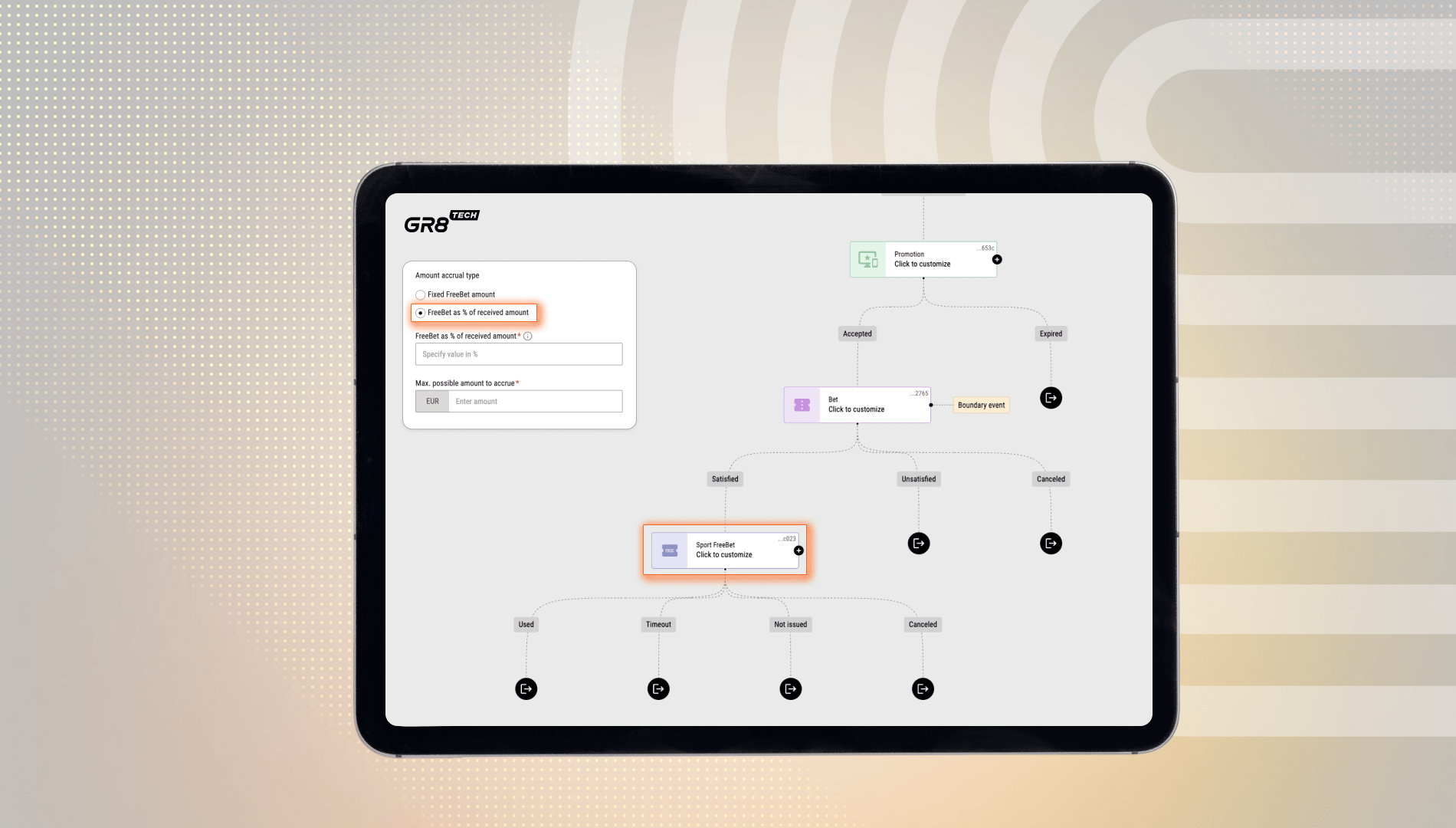
FreeBet Issuance as a Percentage of Bet Activity
Here‘s one more update in FreeBet functionality—FreeBet as % of Received Amount. Previously, FreeBets could only be issued in fixed amounts once the Bet Condition was met. Now, managers can reward bettors with a FreeBet calculated as a percentage of their qualifying settled bets. This gives operators far more flexibility for designing stake-driven promotions.
How it works:
- The FreeBet value is calculated as a percentage of the total settled bet amount that met a Bet Condition: FreeBet = ReceivedAmount × configured % value;
- The resulting amount follows brand-level rounding settings: Without, Up, Down, or Mathematical;
- If the calculated amount is below the brand’s minimum bet amount, the FreeBet is not issued.
💡 The update enables flexible campaign mechanics such as:
“Place a high-stakes bet and get a FreeBet worth X% of your stake.”
Bet Condition logic:
- Bets are collected by placement time but validated at settlement;
- Only settled bets that meet campaign criteria count, i.e., canceled, cashed-out, or returned bets are excluded;
- When the required number of qualifying bets is settled, their total becomes the ReceivedAmount for FreeBet calculation.
💡 To ensure transparency, we recommend our clients mention in their Terms & Conditions that the FreeBet value is calculated on the first settled qualifying bets that meet the campaign criteria.
🎲 Casino
Explore the enhanced BFF layer that supports AI-Based Trend Sorting for casino games with cashback.
ℹ️ BFF (Backend-for-Frontend) acts as an aggregator, collecting data from multiple sources and preparing it specifically for each frontend, ensuring faster responses and consistent experiences across all channels.
What’s new:
The updated endpoints automatically evaluate activity patterns and identify the most relevant cashback-eligible titles, enabling operators to deliver more targeted content to players and improve overall funnel performance.
📖 Plan to start using the Announcement Line, new CRM APIs, Early Payout, or FreeBet features, but don’t know how to activate them? Visit the Knowledge Hub or approach our Support Team.