Ghosting bettors? Vanishing jackpots? Spooky bugs haunting your dashboards? These Halloween tales might frighten other operators, but not GR8 Tech clients. Our team works hard to keep your platform stable and your bettors excited. Dive into the October digest to explore new features for stronger operations.
🎃 Content Management System (CMS)
Check a fresh set of updates in our Content Management System: from unique widgets to menu layout and content segmentation.
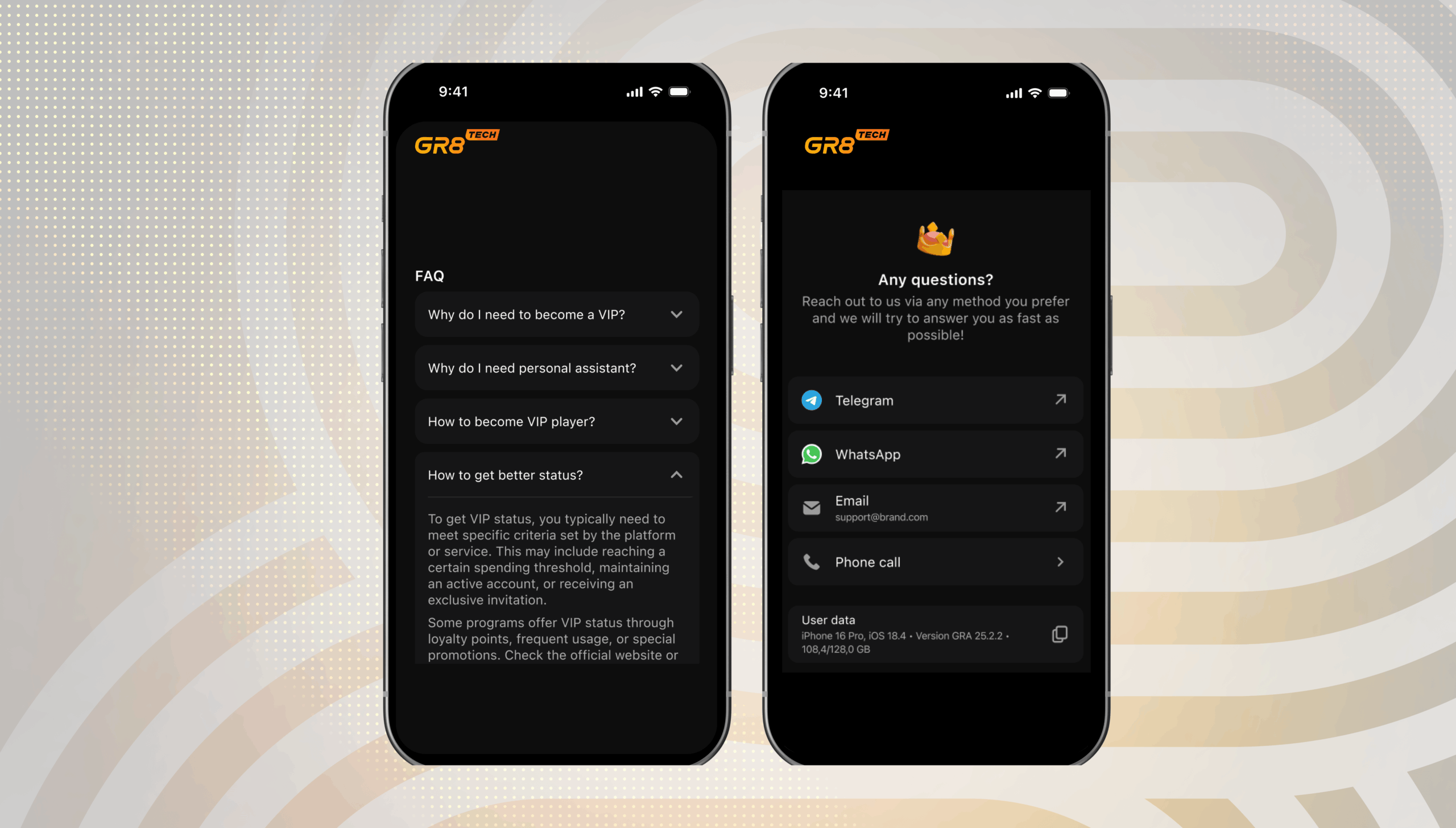
New VIP Lobby Widgets
We’ve expanded our CMS toolkit with four new VIP Lobby widgets designed to enhance player engagement and give operators greater customization options.
Available widgets:
- VIP Levels Description: Displays all VIP levels and benefits, informing players about available privileges. If a player belongs to a level, it’s highlighted automatically;
- Info Block Widget: Either clickable or static text information block featuring campaign advantages, tournaments, or VIP Club perks;
- FAQ Widget: Structured section of frequently asked questions and answers. Perfect for tournaments or pages where clarity matters;
- Contact Form Widget: Offers players quick access to their manager via chat, email, messenger, or call, improving service response time and player trust.
✅ All GR8 Tech clients can already access the updated VIP Lobby setup.
Extra use cases:
Operators can use the widgets not just in the VIP Lobby page but also separately across other widget pages. Examples:
- Contact Form Widget: Can replace the Support page;
- FAQ Widget: Can enhance tournament, wagering, cash-back, or any other pages where players may have questions.
New Widgets in the Library
Our widget library features two additional powerful components, enabling operators to drive player curiosity and increase session time with a richer visual experience.
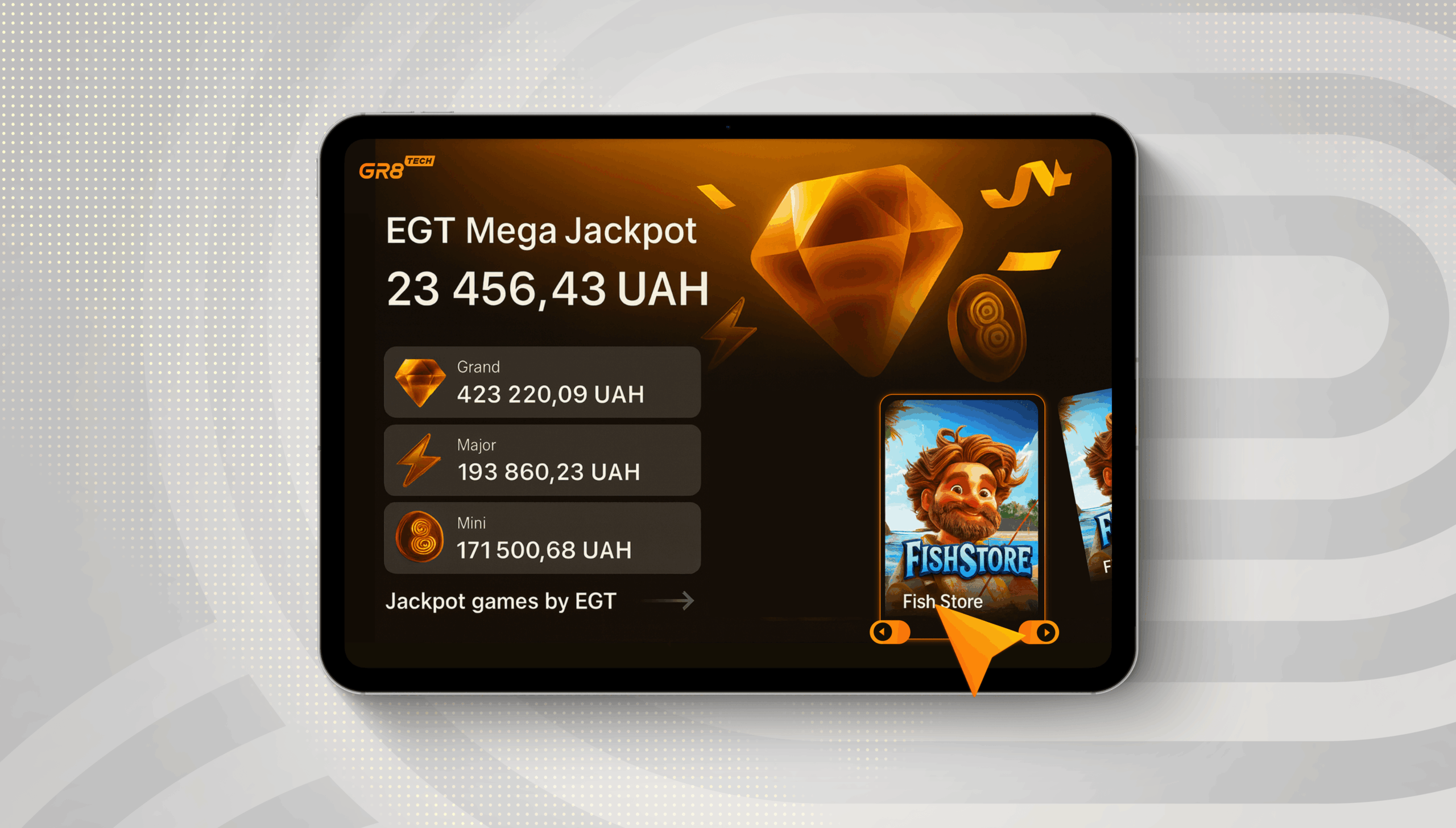
Jackpot Widget
The widget highlights real-time jackpot amounts from a selected provider with potential prize levels (Top, Grand, Major, and Mini). The amounts update every three seconds and are displayed within the Slots product type from highest to lowest. Currently, the widget supports the Amusnet provider, with more providers coming soon.
Key functionality:
- Shows jackpots in the player’s currency (if logged in) or brand’s base currency;
- Adapts to both desktop and mobile layouts;
- Games appear in one or two scrollable rows;
- Displays only when at least one game is available.
Casino Mixed Line Widget
The widget displays games from multiple product types (Slots, Live Casino, Instant Games, Bingo, TV Games, and Virtual Sports) within a single component.
Key functionality:
- Supports both desktop and mobile modes, automatically adapting to screen size and layout;
- In Live Casino mode, it appears only if there are 10 or more players;
- Scrollable and non-scrollable modes are configured via CMS.
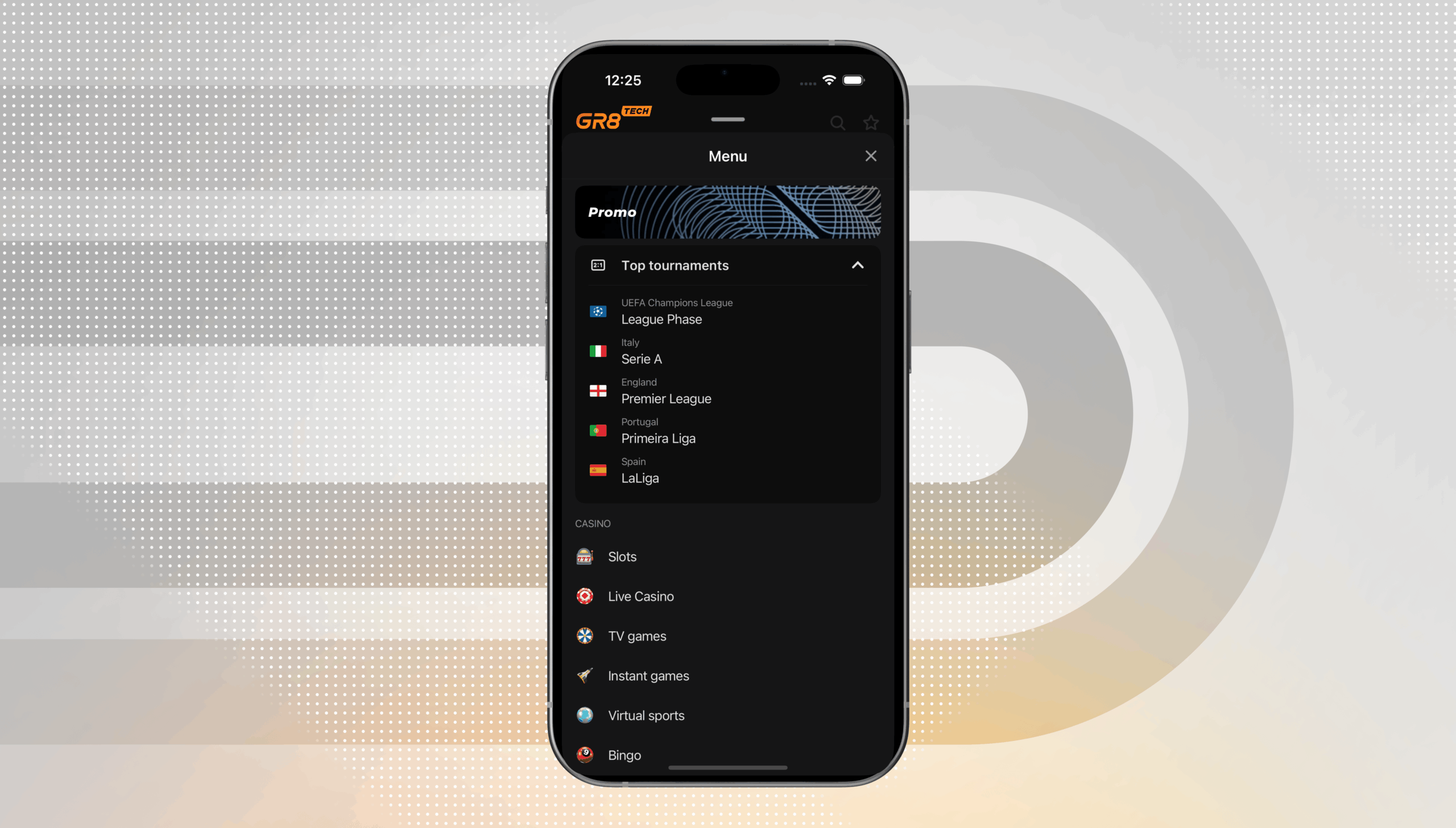
Menu in Bottom Sheet
We’ve made navigation more adaptable for operators managing tab bar setups, letting them choose how the menu opens when players tap the menu icon in the tab bar.
Available options:
- Open as a Page: Existing full-page view;
- Open in a Bottom Sheet: New option that allows players to close the menu and return to the previous screen without leaving their current context.
Segmentation Parameters for Content Display
Content segmentation in CMS is now even more diverse and accurate. Operators can ensure more granular targeting and deeper personalization by excluding specific parameter values when setting up display options.
Segmentation criteria:
- Authorization: Control content visibility based on user login status (all, log-in, log-out);
- Device: Target players by their device or platform (Native iOS, Native Android, Web Desktop, Web Mobile);
- Language: Adjust content based on the user’s selected language;
- GEO: Adapt content to the user’s current location (e.g., show Cricket for India, Football for Turkey);
❗Available locations depend on the operator brand's country settings.
- Currency: Create currency-specific experiences and promotions based on the user’s registration currency (available for logged-in users);
- Risk Segmentation: Categorize users by risk levels (Casino, Sports, or Business).
💡 Tips for better results:
- Use descriptive internal names for easy management;
- Combine multiple segmentation rules for precise targeting;
- Test configurations across different user segments;
- Monitor performance and adjust rules based on user engagement;
- Consider regional preferences when setting up GEO and language targeting.
🍬 Customer Relationship Management (CRM)
CRM improvements never slow down. This round introduces enhanced email block logic, a new algorithm for deposit bonuses, and engagement-driven Randomizer upgrades.
Limited Prizes in Randomizer
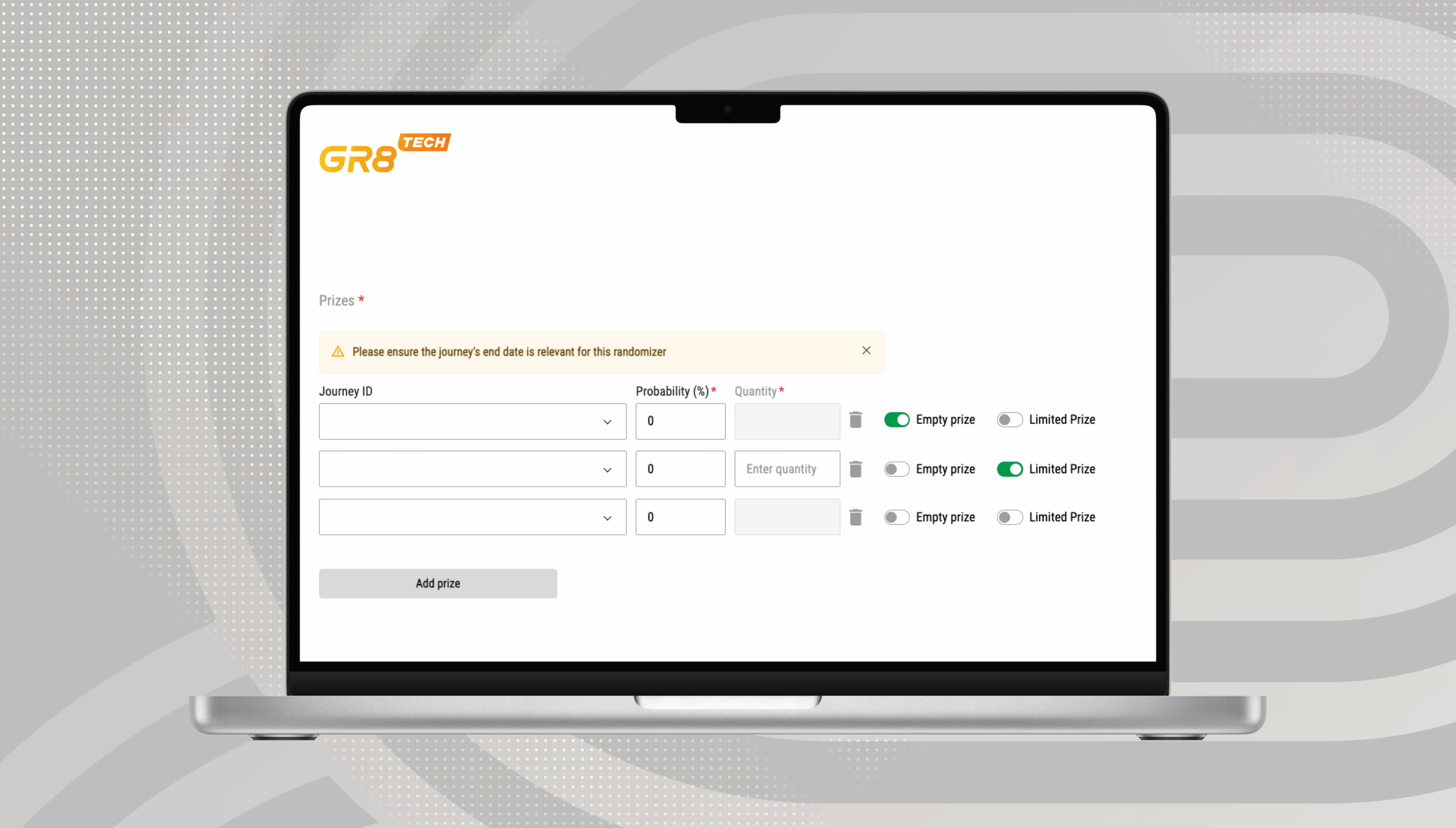
Unlock greater control over promotions and prize distribution with updated CRM's Randomizer functionality. Now, operators can set limits on the number of available prizes when managing exclusive rewards. Once a prize limit is reached, the system stops awarding it, while all other prizes continue to be distributed randomly according to the configured odds.
Feature specifics:
- If the Limited prize toggle is enabled, an operator must specify the quantity of prizes and the probability (%) of each prize;
- At least one prize must remain unlimited (this can even be an empty prize);
- The amount of limited prizes has to be more than 0, not more than 999,999;
- Players are more likely to win the unlimited prize after all limited-quantity prizes have been claimed;
- Once limited prizes run out, the system automatically recalculates probabilities for the remaining ones.
Probability recalculation formula:
Current Probability = Original Probability / Sum of Remaining Probabilities * 100%
Randomizer types:
- Wheel of Fortune: Players spin to win (or get an empty prize, if configured);
- Scratch Card: Players reveal three windows; if all match, they win.
Value for operators:
This CRM update helps operators balance engagement and reward distribution, while boosting player excitement and retaining control over prize management.
Automatic Bonus Substitution at the Cashier
Take advantage of a new algorithm for deposit bonuses. It determines which bonus will be linked to a deposit (when a deposit serves as a condition for receiving a bonus). The update streamlines bonus experience, minimizing confusion for players and making bonus distribution more accurate and clear for operators.
Previous setup:
Deposits and bets were assigned to bonuses strictly according to the general priority selection algorithm.
What has changed:
- If the player opens the cashier via the Action Button on a promotion card or page featuring the bonus, the system automatically passes the bonus ID to the cashier and applies the deposit to this bonus, ignoring the general priority rules;
- If the player opens the cashier via the Action Button on a promotion card or page featuring the bonus and makes a deposit that doesn’t meet the conditions for that bonus, the deposit will be ignored and not applied to any bonus;
- If the player opens the cashier without using the Action Button, the system follows the standard bonus priority logic.
Automatic Updates for Email Content Blocks
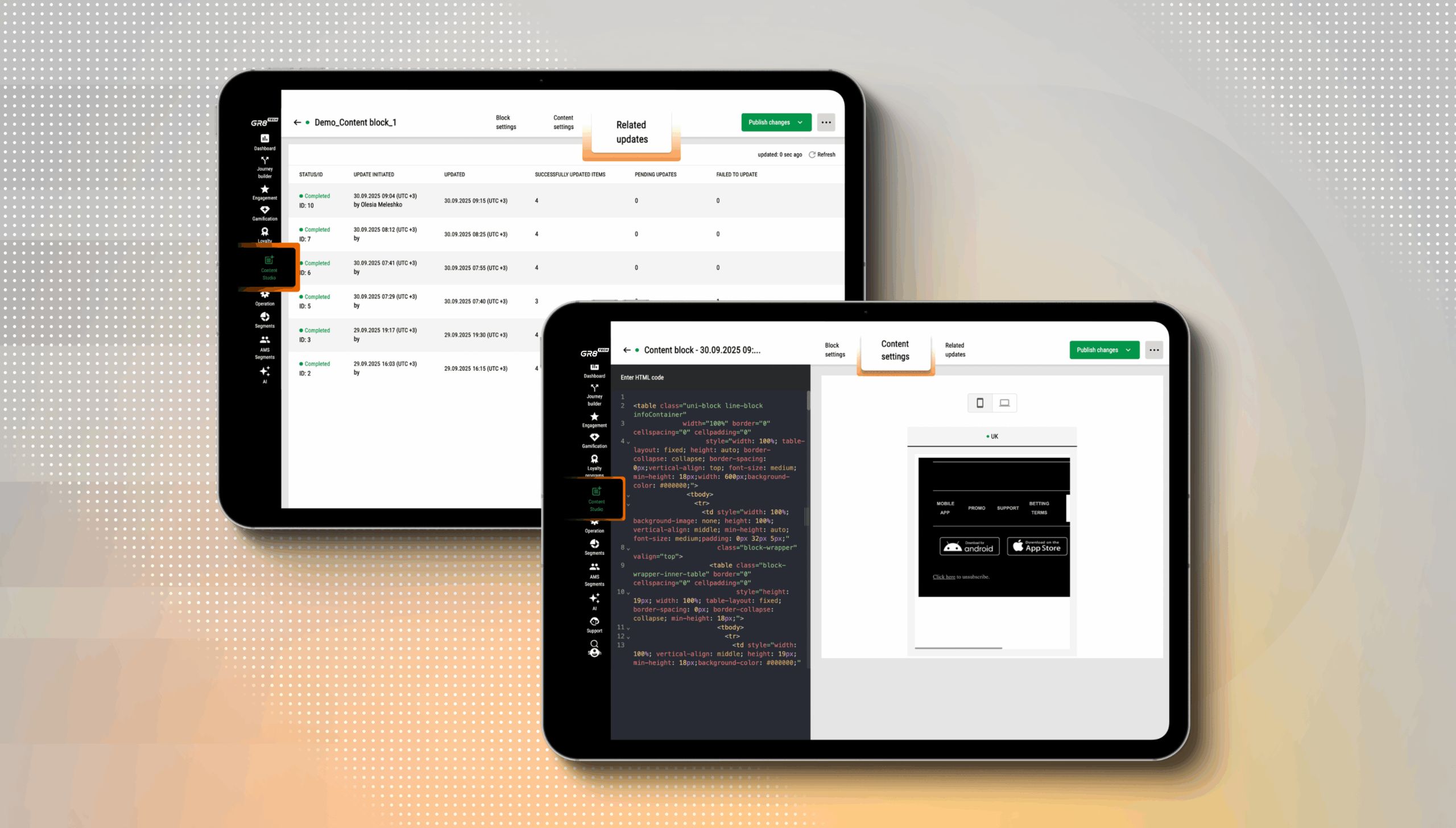
We’ve improved the publishing logic for email content blocks. This release helps operators ensure brand and message consistency across all communications, save time on repetitive updates, and update content in player emails in one click.
Previous setup:
When operators added a reusable block (e.g., a footer) to an email template and updated it later, the changes applied only to newly published templates. Managers had to manually update all previously published templates to keep content consistent.
What CRM managers can do now:
- Publish changes to the content block only;
- Publish changes to the content block and automatically update all related items.
🔍 To improve visibility, we’ve also introduced a Related Updates tab. When the second option is used, the tab displays all changes made to the related items.
📍 Find Email Content Block setup in: Content Studio (CRM) → Email Constructor
👻 Player Account Management (PAM)
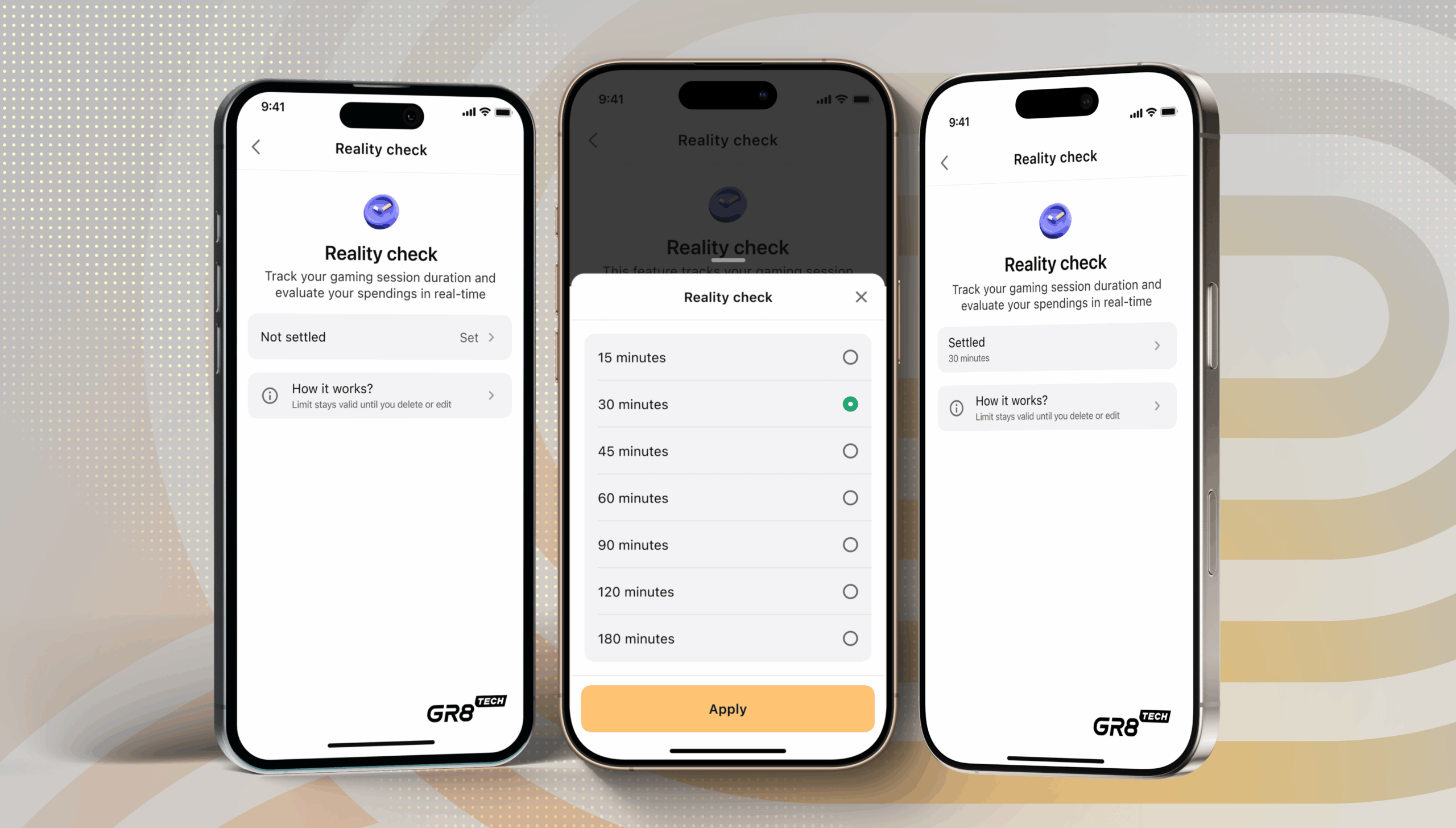
The Reality Check feature is now available in our KYC & Responsible Gaming toolkit. This built-in reminder system helps players track their gaming time and monitor wins and losses over chosen periods. With this addition, operators can target a broader range of regulated regions while staying compliant and promoting safer gaming habits.
Functionality for operators:
- Activate a Reality Check feature on a brand level with predefined thresholds and make it mandatory/non-mandatory for all users and with/without a default pre-set value;
- Manage or remove the Reality Check settings for a particular user via the UBO;
- Enable player-level setup directly in the Responsible Gaming section of the User Profile.
How it looks for end users:
When the selected threshold is reached, players see a blocking pop-up that displays total time, wins, and losses. This reminder helps players stay aware and decide whether to keep playing.
💀 Unified Back Office (UBO)
New UBO features are live.
UBO/CMS: Content Scheduling
We’ve extended the CMS scheduling options to streamline content management for operators. The update lets operators control campaigns and seasonal activations without manual rescheduling and ensure timely delivery across brands and regions.
New scheduling tools:
- Daily Repeat: Show content every X days;
- Weekly Repeat: Display on selected day(s) of the week;
- Monthly Repeat: Choose specific date(s) each month;
- Annual Repeat: Select particular month(s) and date(s).
💡 Combine multiple repetition rules to achieve even greater flexibility.
Main configuration options:
- Display Options: Apply segmentation rules or default visibility;
- Time Zone: Set or adjust display timing by region;
- Start/End Dates: Define active periods for content;
- Remove After Expiration: Automatically clear expired items.
UBO/MFE: CSV Export for Bets and Casino
You asked for more diverse CSV export options for Bets Monitor and Casino Monitor, and we delivered them. From now on, operations and analytics teams can extract large datasets, build custom reports, and analyze data efficiently without affecting overall platform performance.
New features:
- Export by Filters: Download only the selected data pieces (e.g., specific date ranges, currencies, brands, players, or statuses);
- Customizable Columns: Choose which columns to include, with extra fields (e.g., tags) added automatically;
- Large Data Support: Export over 100,000 rows;
- Partial Export: If the export exceeds 10 minutes, get an automatically generated Partial Export file covering already exported data;
- Audit and Security: Check the log of every export action.
❗ Administrators must assign the permissions to enable the CSV export feature, as it is disabled by default for security reasons.
Events Tab in AI Settings
We’ve also enhanced the AI Settings. Try out the Events tab, a tool that offers extra possibilities for event positioning. With this tab, operators can choose how to display and manage events and maintain an optimized layout across sportsbook products.
Key capabilities:
- Pin events to fix their position for priority display;
- Reorder via drag & drop or move events directly to the top;
- Filter by sport type;
- Search by title/ID to find relevant events quickly;
- View event title, ID, and start time in a structured table.
Crypto Rounding, Bonus Indicators & Dashboard Readability
Explore the possibilities behind the Bets Monitor, Casino Monitor, and UBO Dashboards. The latest adjustments let risk and operations teams get more accurate crypto reporting, bonus tracking, and analytics across Casino and Sportsbook.
What’s new:
- Accurate Bet Rounding: All amount columns (Bet, Win, Net Payout, Profit) across Casino & Sportsbook now round to 8 decimals for cryptocurrencies and 2 decimals for fiat currencies;
- Win Bonus (WB) & Parlay Boost (PB): Bets Monitor now displays WB and PB markers, helping managers identify bonus types instantly. The Bonus Bet filter now applies to Win Bonus bets as well;
- Dashboard Upgrades:
- “Reg-to-FTD” widget clearly displays FTD Count;
- Payment Dashboard shows corrected denominations;
- Dashboards indicate empty charts with zero values and skeleton loaders instead of blank screens if no data is available.
🧟 Sportsbook
This time, we also introduced new features to Sportsbook.
Basketball BetBuilder
We’ve added basketball to our BetBuilder functionality, giving operators extra ways to boost engagement and betting activity. Players can now create custom bets for major basketball tournaments and reach a new level of excitement during pre-match.
Available tournaments:
- NBA;
- FIBA World Cup;
- WNBA;
- EuroBasket; and
- more.
❗ At this stage, BetBuilder for basketball supports pre-match betting only.
Video Broadcast Filter
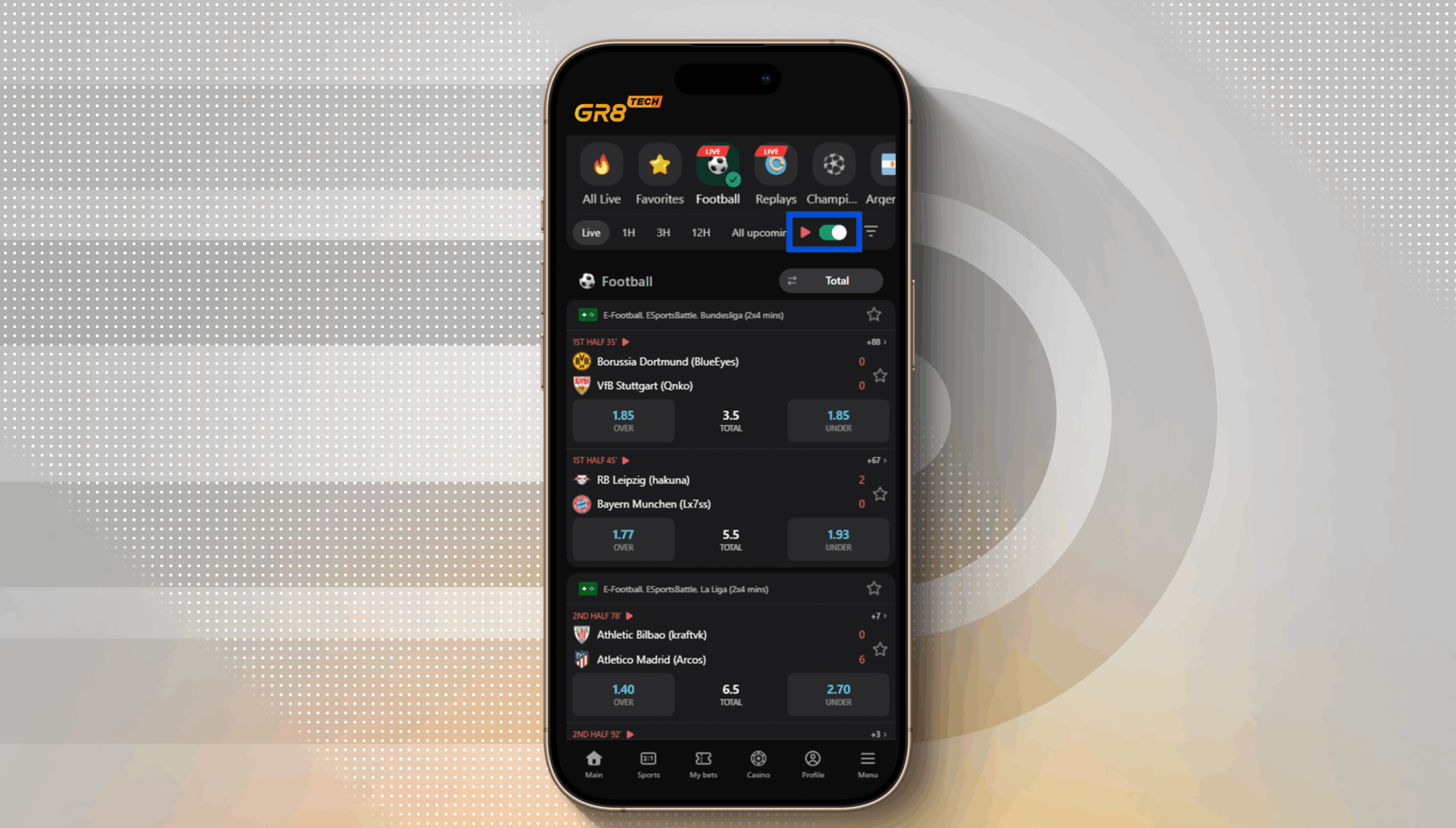
Meet a Video Broadcast Filter, a mechanism that helps players find matches with live video streams. For operators, this brings stronger user engagement through improved content visibility.
Where it works:
- Sports Live Stage (Sports page);
- All Live page.
How it works:
The filter appears in the event list header. Once enabled, it updates the list to show only matches with active live streams.
Why it matters:
- Faster Navigation: Bettors can instantly identify live-streamed events without scrolling through unrelated matches;
- Better Focus: Users get a cleaner view of high-value events;
- Higher Engagement: Live-streamed events drive more interaction and retention.
📩 Our clients can activate the feature through a configuration request.
🧛 Casino
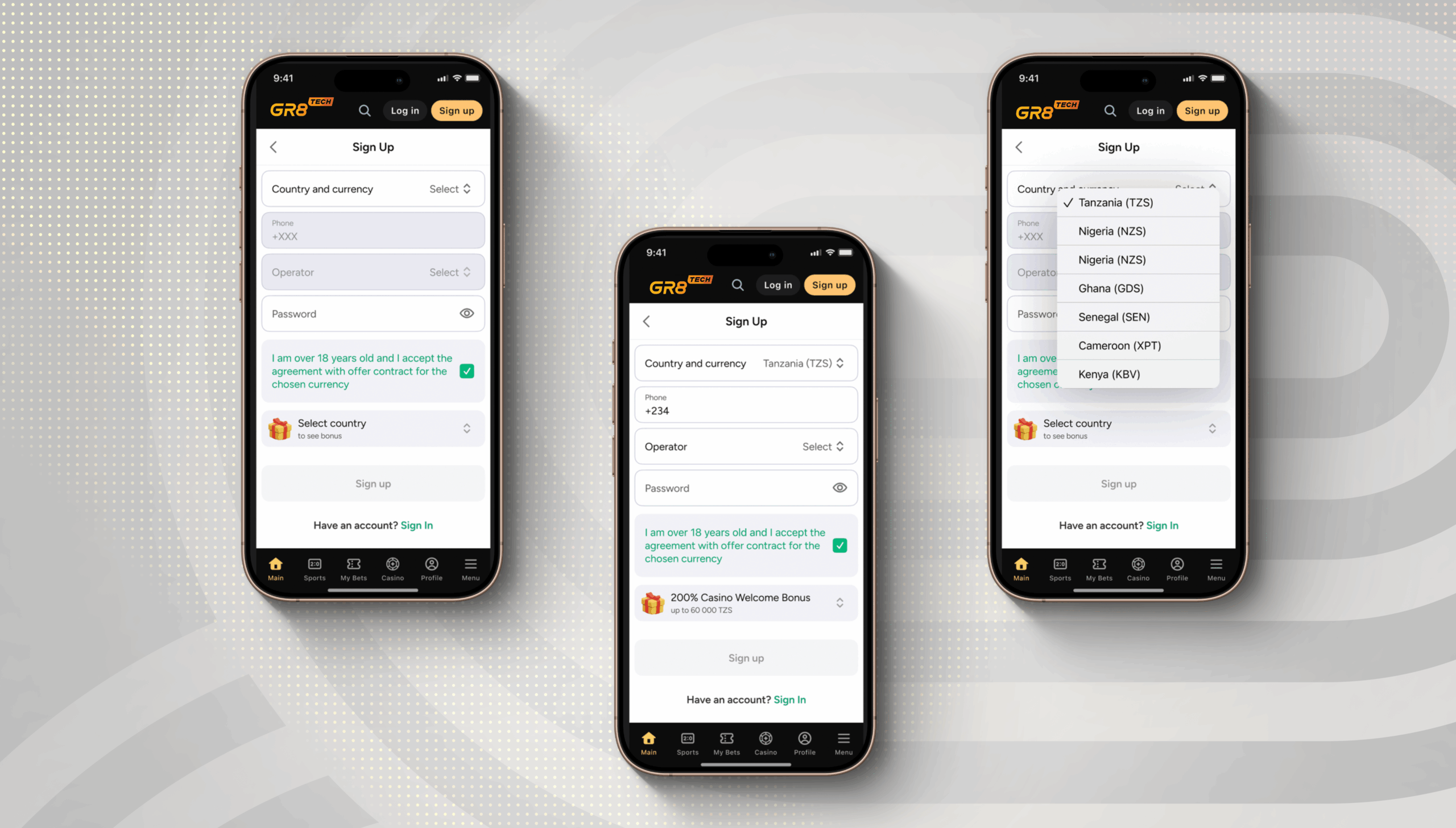
GR8Light frontend now supports Multi-Currency Registration. The update simplifies market and player base management for operators.
How it works:
- Players can now register in multiple currencies under the same brand;
- The system automatically detects a player’s country and currency via geo-location, with manual selection available for added convenience;
- Operators can easily add new currencies to existing brands or launch new multi-currency brands from scratch.
❗ Operators must configure payment methods and casino providers before adding new currencies.
Value for operators:
- Streamlined onboarding for global players;
- Deeper localization;
- Ability to expand into new regions without complex reconfigurations.
📚 Not sure how to activate the Reality Check feature, set prize limits in the Randomizer, or add a new widget? Visit the Knowledge Hub for quick setup guides and extra recommendations.